Self-Updating Knowledge Base: How to Keep Documentation Up to Date

Self-Updating Knowledge Base: How to Keep Documentation Up to Date
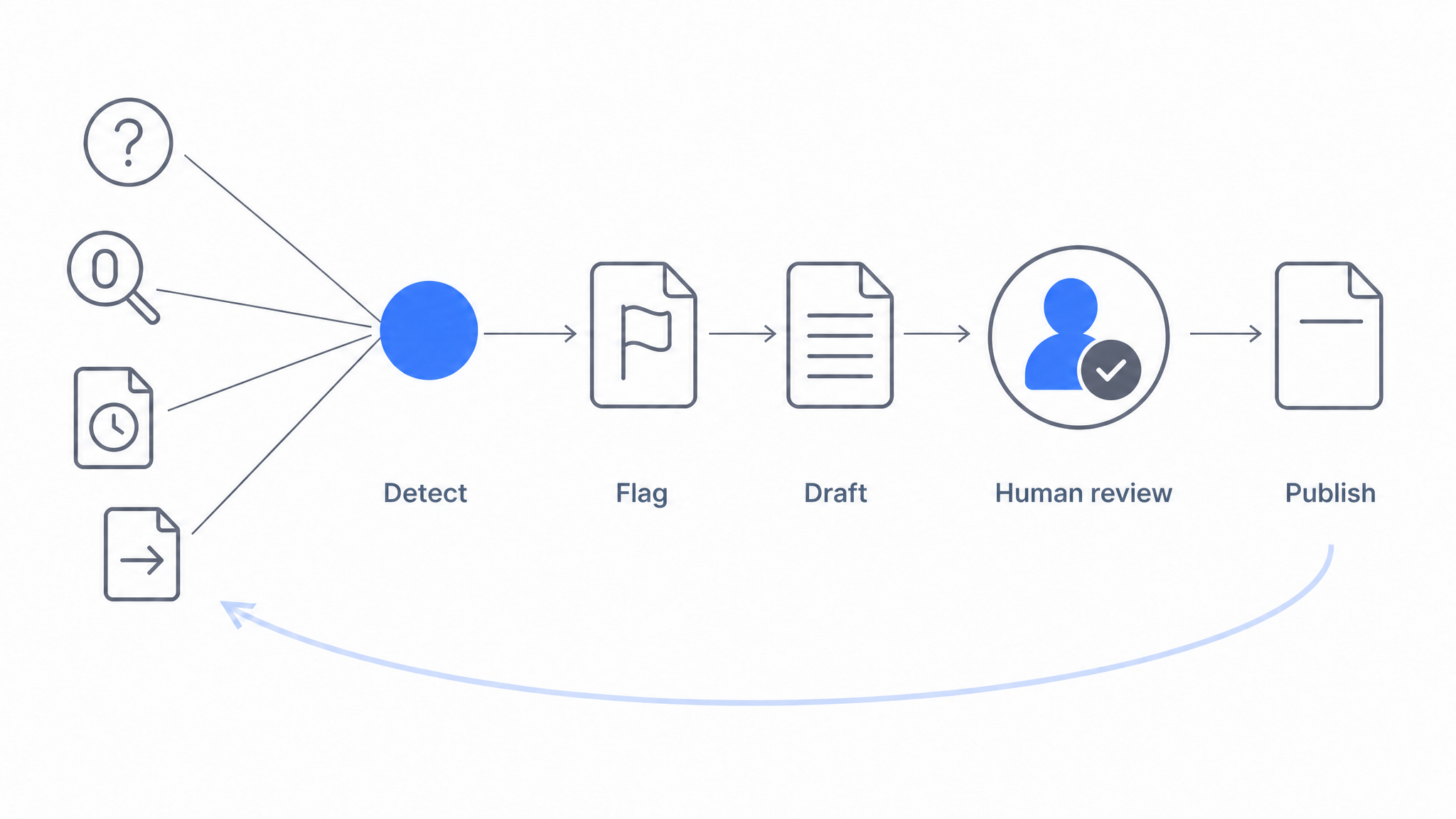
A self-updating knowledge base is a documentation system that detects stale or missing content automatically, from signals like failed searches, unanswered questions, and pages nobody has touched in months, and routes the fix to a human for review. The detection and the drafting are automated. The approval is not.
Every knowledge base is accurate on launch day. The question is what happens in month six, after two product releases, a pricing change, and a reorganized settings menu. For most teams the answer is quiet decay: nobody deleted the docs, but nobody trusts them either. This article covers why that happens, what it costs, and how to build an update loop that runs on signals instead of good intentions.
It also covers what changed in 2026. You can now connect an AI agent to a knowledge base and have it read the staleness signals and write the revision itself. That is a real step forward, and it is still not a self-updating knowledge base. The last section explains precisely where the automation stops and why the stopping point is deliberate.
Why Knowledge Bases Go Stale
Documentation does not rot randomly. It rots for predictable, structural reasons:
Docs and product change on different clocks. The product ships every two weeks; documentation review happens "when someone gets time." Every release widens the gap between what the docs say and what users see.
Updating is nobody's job. Writing a new article has a clear owner and a visible deliverable. Noticing that paragraph four of an eighteen-month-old article is now wrong has neither. Without explicit ownership, maintenance loses to every other priority.
The people who spot errors can't fix them. Support agents discover stale docs daily, in the middle of tickets, with no lightweight way to flag or fix the page. The knowledge sits in their heads and their macros instead of the knowledge base.
Content is duplicated across systems. The same procedure lives in Confluence, a Google Doc, and the help center. One copy gets updated; the other two keep misleading people. This is why one-time imports are dangerous and continuous sync matters.
Nothing measures staleness. Teams track article count and page views, neither of which tells you whether the content is still true. Absent a staleness signal, decay is invisible until a customer complains.
What Stale Documentation Actually Costs
The cost is easy to underestimate because it shows up in other teams' metrics:
- Tickets that shouldn't exist. When self-service gives a wrong answer, users don't just fail to self-serve; they arrive at support frustrated and primed to distrust the next answer too.
- Wrong actions taken confidently. A stale SOP or setup guide doesn't fail loudly. People follow it, and the failure surfaces later as a misconfigured account, a compliance gap, or a churned customer.
- The trust death spiral. Once users hit two or three wrong pages, they stop checking documentation entirely and default to asking humans. At that point even your accurate content stops delivering value, and you're paying documentation costs for support-channel outcomes.
- AI answers inherit every error. This one is new and important: if an AI assistant answers from your docs, a stale paragraph is no longer a page someone might read; it's an answer the system will confidently repeat to every user who asks. AI raises the return on documentation, and it equally raises the cost of letting it rot. (For how grounded answering works, see how AI answers from your docs.)
The mechanism is worth stating plainly, because it explains why maintenance pays for itself. A stale page does not cost you once. It costs you every time someone reads it, every time a new hire is onboarded against it, and now every time an assistant quotes it. Fixing the loop does not add value in one place; it stops a leak in several.
The Detection Layer: Signals That Content Needs Updating
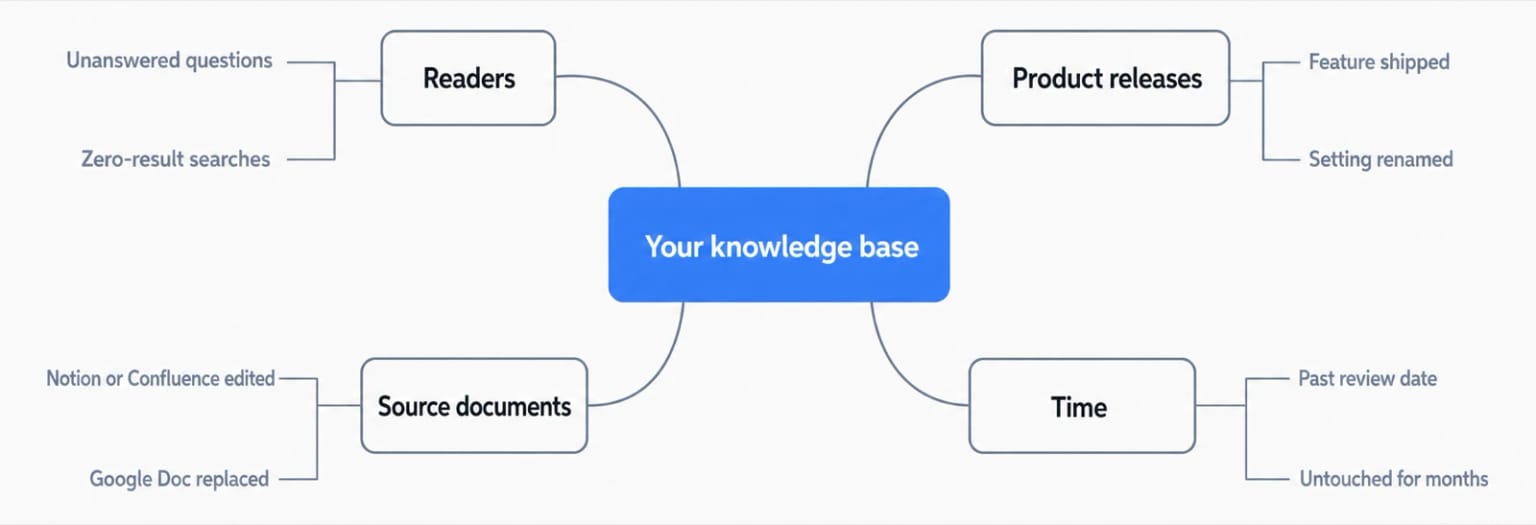
The core of a self-updating knowledge base is turning staleness from something you discover accidentally into something the system reports. Five signal families do most of the work:
1. Failed searches and unanswered questions
Zero-result searches and questions your AI assistant declines to answer are your users telling you, in their own words, exactly what content is missing. AI conversation logs are even richer than search logs because people phrase full questions ("how do I transfer a project to another workspace?") rather than keyword fragments. Review these weekly; each recurring question is a pre-validated content task.
2. Pages nobody has touched
Time since last edit is the crudest staleness signal and also the most reliable one to automate, because it needs no analytics and no tagging. A page that has been published and untouched for a year, in a product that ships every two weeks, is a page worth reading again. In Dewstack this signal is exposed to agents as list_stale_pages, which returns published pages untouched past a threshold you choose. Age alone does not prove a page is wrong. It tells you where to look, and it is the entry point for the automated drafting described later.
3. Source-document changes
If your knowledge base imports from Notion, Google Docs, or Confluence, the upstream document changing is a direct staleness event. Platforms with re-sync (Dewstack supports direct imports and updates from these sources) turn this from a manual diff exercise into a routine sync, so the published knowledge base tracks the source of truth.
4. Release notes and product changes
Every release note is a list of documentation todos. Make "docs impact" a field in your release checklist: which articles reference the changed screen, flow, or limit? A simple habit, listing affected articles at release time, catches the staleness that behavioral signals only reveal weeks later.
5. Engagement and feedback anomalies
An article whose views rise while helpfulness ratings fall is telling you demand is up and accuracy is down. Falling citation click-through on AI answers, or users rephrasing the same question repeatedly, point the same direction. You don't need elaborate dashboards; you need a short weekly look at outliers.
| Signal | Source | Typical latency | Action |
|---|---|---|---|
| Unanswered AI questions | Conversation logs | Days | Draft new article or section |
| Zero-result searches | Search analytics | Days | Add content or synonyms |
| Page untouched past threshold | Stale page report | Continuous | Read it again, draft a revision |
| Source doc changed | Sync from Notion/GDocs/Confluence | Immediate | Re-sync, review diff |
| Release shipped | Release checklist | At release | Update listed articles |
| Rating drop on rising traffic | Article analytics | Weeks | Audit article accuracy |
The Update Layer: Human-in-the-Loop, Not Hands-Off
Detection tells you what to fix. The update workflow determines whether fixes actually ship. The pattern that works is human-in-the-loop:
- Automation flags the article (signal fires) and, where possible, drafts the fix: a re-synced source version, or an AI-drafted revision based on the unanswered question.
- A named owner reviews. Every critical article has an owner; flagged items land in their queue, not in a shared abyss.
- A human approves and publishes. For customer-facing or compliance-relevant content this step is non-negotiable. AI drafting cuts the work from an hour to minutes, but accountability stays with a person.
- Version history backs it up. Publishing confidently requires the ability to see what changed and roll back if a revision made things worse.
Resist the temptation to fully automate step 3. An unreviewed AI edit that introduces an error doesn't just create one wrong page; it feeds wrong material back into the AI answering layer, compounding the mistake. The realistic promise of a self-updating knowledge base is not "no humans," it's "humans spend their time approving fixes instead of hunting for problems." The broader picture of what to automate versus review is covered in our guide to knowledge base automation, and the feedback-loop side in what a self-learning knowledge base really means.
What Changed: Agents Can Now Do Step 1
Until recently, step 1 was the weak link. Detection was automated, but the drafting still meant a person opening the flagged page, reading it, and rewriting it. As of August 2026 you can hand that part to a connected agent.
In Dewstack you connect Claude to a workspace once. Open Settings, go to Connectors, choose Add custom connector, paste the Write connector URL that ends in /mcp-rw, sign in, and press Allow on an approval screen that names the workspace. There are no keys to manage and no code to write. Only account Owners and Admins can approve the connection, so a workspace cannot gain a writing agent without an administrator deciding it should.
ChatGPT supports this as a developer mode connector only. OpenAI limits write-capable connectors to developer mode, so ChatGPT's regular connector surface can read your docs but cannot write to them. Coding agents such as Claude Code and Cursor take a different route: they use an API key with Read and write scope rather than OAuth.
Once connected, the agent has two kinds of tools. The signal tools read: list_content_gaps returns what readers searched for and did not find, along with questions the assistant could not answer, with counts. list_stale_pages returns published pages untouched past a threshold. The write tools act: create_collection makes a new section, create_article creates a page as a draft, and update_article edits a draft, saving the previous version to Page History first.
That combination is what makes the loop feel automatic. You can ask an agent to list your stale pages, pick the three that cover the feature you shipped last month, read them, and produce revised drafts. What arrives in your workspace is a set of drafts waiting for a human.
Agents also receive Dewstack's docs dialect when they connect, so the output comes back with callouts, numbered step blocks, tables, and video embeds rather than a wall of prose. An agent draft that is structurally already a documentation page is one a reviewer can correct, instead of one they have to reformat before they can judge it.

Where the Automation Stops, and Why
Four rules apply to every connected agent, with no exceptions:
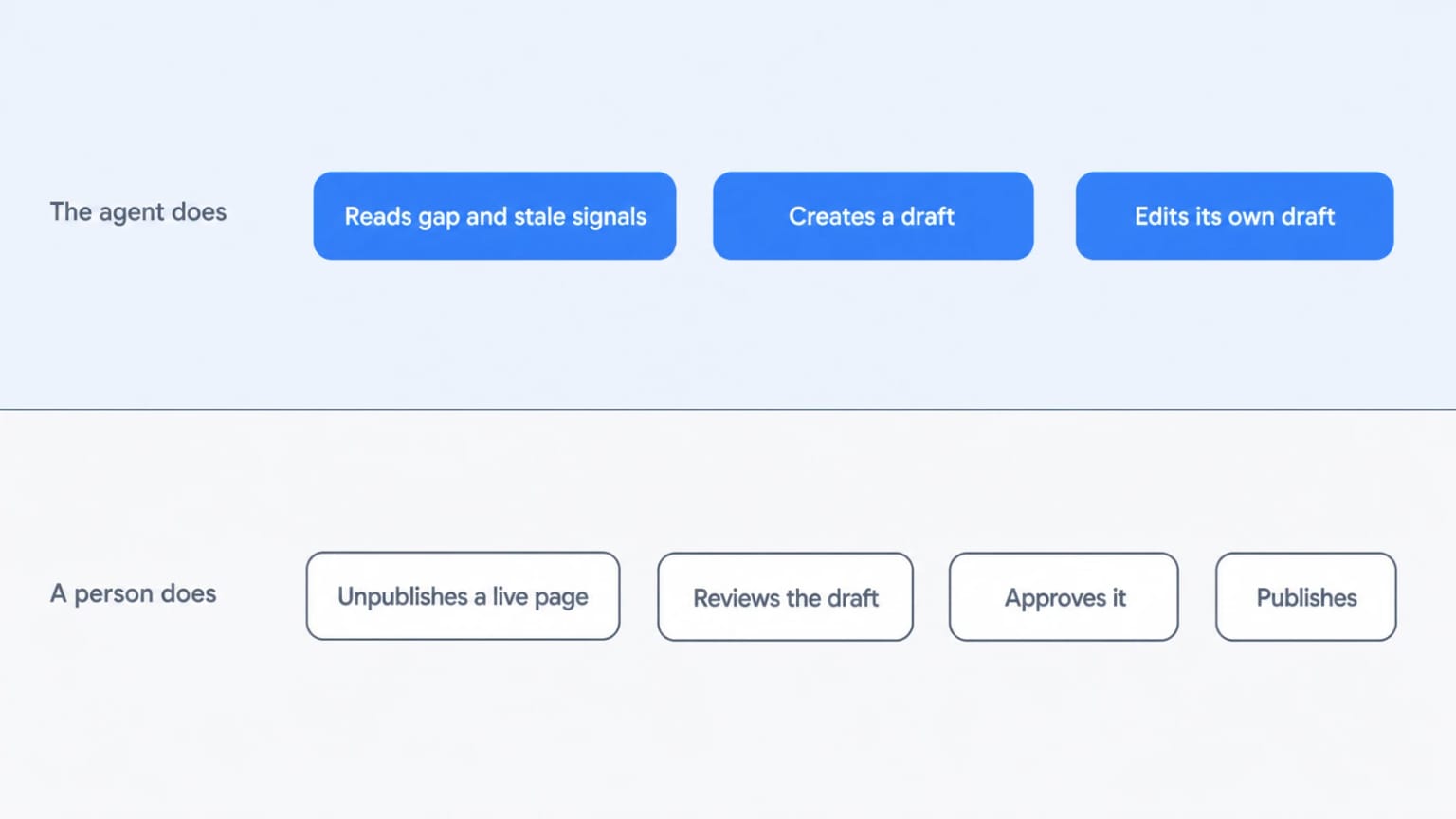
Drafts only. An agent cannot publish, cannot unpublish, and cannot touch a live page. Everything it produces lands in your draft queue.
History first. Before any change, the previous version is saved to Page History. Page History attributes agent edits to the connection's key name, for example "Claude connector - agent update", and one click restores the previous version.
Sanitised on the way in. Script handlers and unsafe embeds are stripped from anything an agent writes.
Visible and revocable. The connection appears under API keys. Revoking it disconnects the agent immediately.
The first rule has a consequence worth stating plainly, because it is the thing people trip over. Your stale pages are, by definition, published. An agent cannot edit them. So updating a published page takes one of two shapes. Either a human unpublishes the page first, after which the agent can rework it as a draft, or the agent leaves its work as a separate draft while the live page stays exactly as it is.
That constraint reads like a limitation and functions as a feature. The published page is the one your customers and your AI assistant are reading right now, and nothing unreviewed can alter it. Unpublishing is a deliberate act by a person, so taking a page out of circulation is a human decision and putting a revised page back is a second one. If you skip both, the worst case is a draft nobody merged. That is a far better failure mode than a wrong page quietly going live at 3am.
There are operational guardrails too. Each connection or key is capped at 500 writes per day. Write access requires the workspace to be Public. Every write and every refused write is recorded against the key, so if an agent tried to edit a live page and was refused, you can see that it tried.
So, Can a Knowledge Base Update Itself?
No, and the honest version of the answer is more useful than the marketing version.
What is now genuinely automated is detection and drafting. A system can tell you which pages are stale and which questions your readers asked and did not get answered, and an agent can turn those signals into revised drafts written in your documentation's own structure. That covers most of the labour and nearly all of the tedium.
What is not automated, by design, is the decision that a revision is correct. Nobody has solved the problem of an AI being confidently wrong, and a knowledge base is precisely the place where a confident wrong answer does the most damage, because it propagates into every AI answer drawn from it. A pipeline that ends with a human approval gate is not a compromise on the way to full automation. It is the correct architecture.
So when a vendor tells you their knowledge base updates itself, ask one question: can it publish without a person? If the answer is yes, you have not bought automation, you have bought unreviewed content at scale.
A Weekly Maintenance Loop You Can Actually Sustain
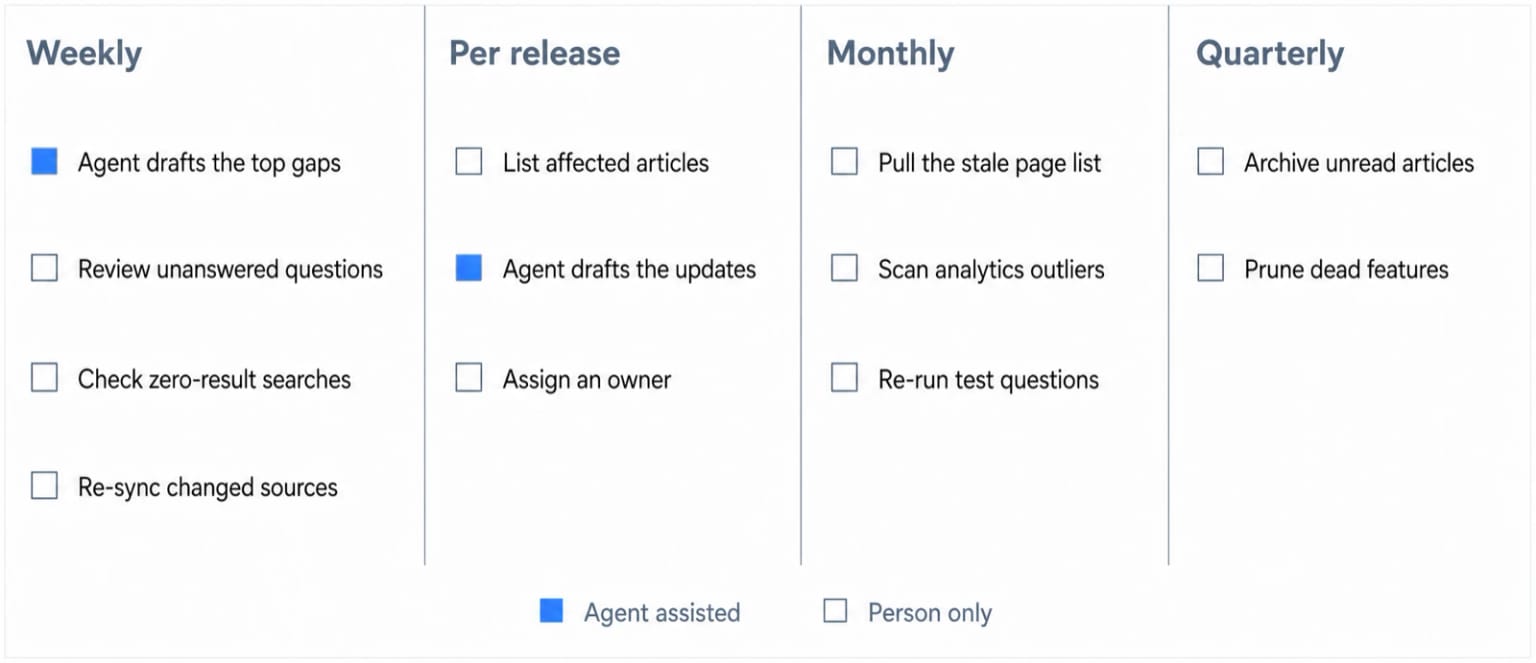
A workable cadence for a small team:
- Weekly (30 minutes): Review unanswered questions and zero-result searches. If you have an agent connected, ask it for the content gaps with the highest counts and let it draft the missing pages. Review the drafts. Re-sync any changed source documents.
- Per release: Walk the release notes, list affected articles, update or assign them before or with the release.
- Monthly (1 hour): Pull the stale page list at a threshold that suits your release pace. Scan analytics outliers, check articles past their review date, re-run a fixed set of test questions against the AI assistant and note regressions.
- Quarterly: Prune. Archive articles nobody reads about features nobody uses. Less content, maintained well, beats comprehensive content that's 30% wrong.
If your team can only do one of these, do the weekly unanswered-questions review. It's the highest-signal, lowest-effort habit in documentation maintenance.
How Dewstack Supports the Loop
Dewstack was built around this maintenance model. Imports and updates from Notion, Google Docs, Confluence, and PDF keep published docs aligned with source documents. SmartDocs, the AI assistant, answers user questions from your content with citations, and its conversation logs show exactly which questions it could not answer, feeding your weekly review with real user language. Search analytics surface zero-result queries, AI Page Assist turns a flagged article into a reviewed revision in minutes, and version history makes every change reversible.
On top of that, a connected agent can read the gap and stale page reports directly and write drafts against them, while the four rules keep every one of those drafts in front of a person before it reaches a reader. The result is a knowledge base whose upkeep is driven by evidence rather than memory, and whose accuracy is still accountable to someone with a name.
If you're starting from scratch, our complete guide to AI knowledge bases covers the full build process; if you're ready to try the loop on your own content, Dewstack plans start with a free trial.
Ready to Elevate Your Documentation?
Try Dewstack free for 7 days. Create AI-powered documentation that answers questions instantly.
Start a free trialANSWERS TO
Frequently Asked Questions
Here are some common questions that might provide the information you're seeking.
Related Blogs
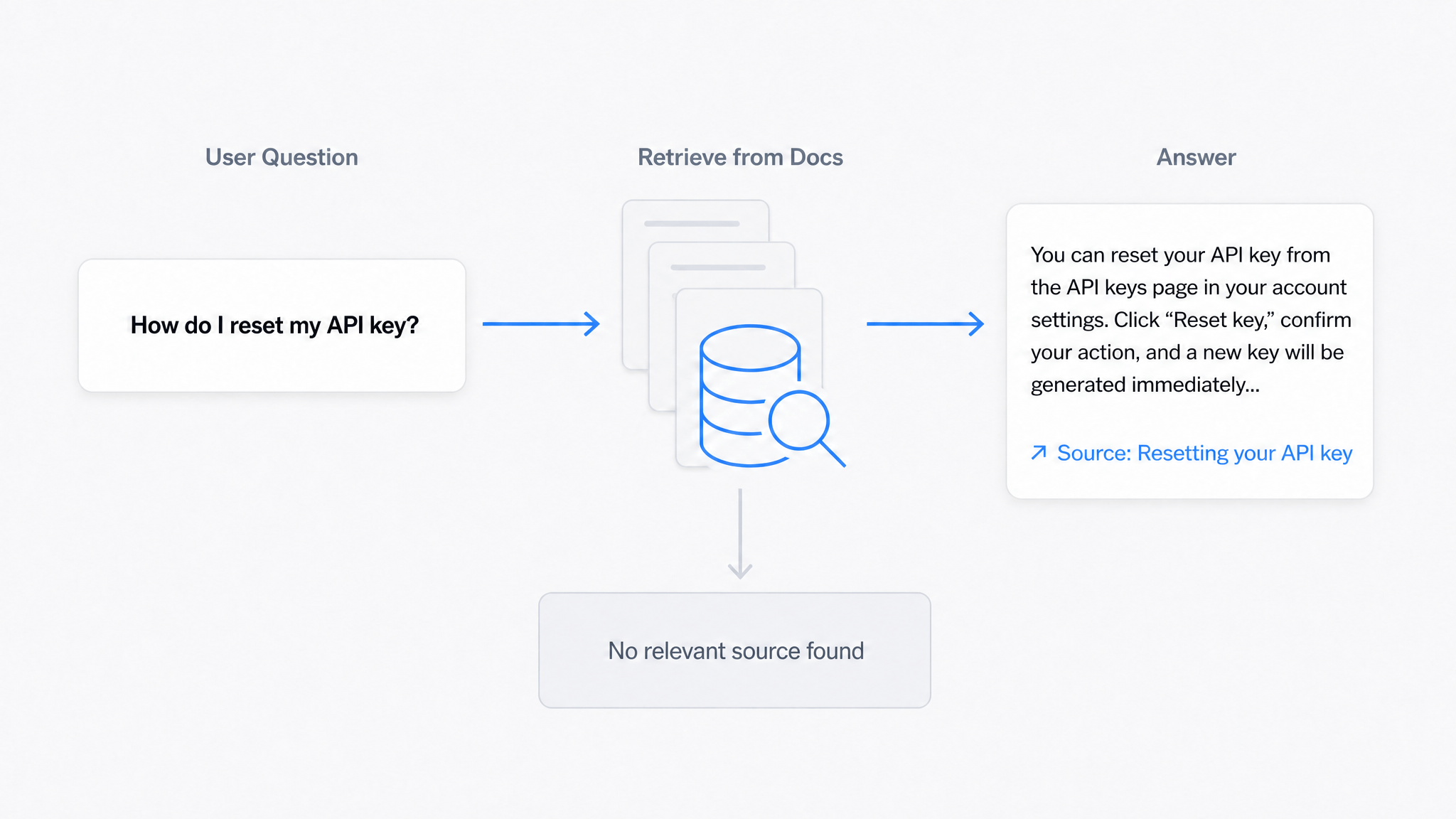
AI Answers From Your Docs: Grounded Answers, Citations & Hallucination Control
How an AI chatbot for technical documentation gives grounded answers with source citations, controls hallucinations, and turns unanswered questions into drafted pages.
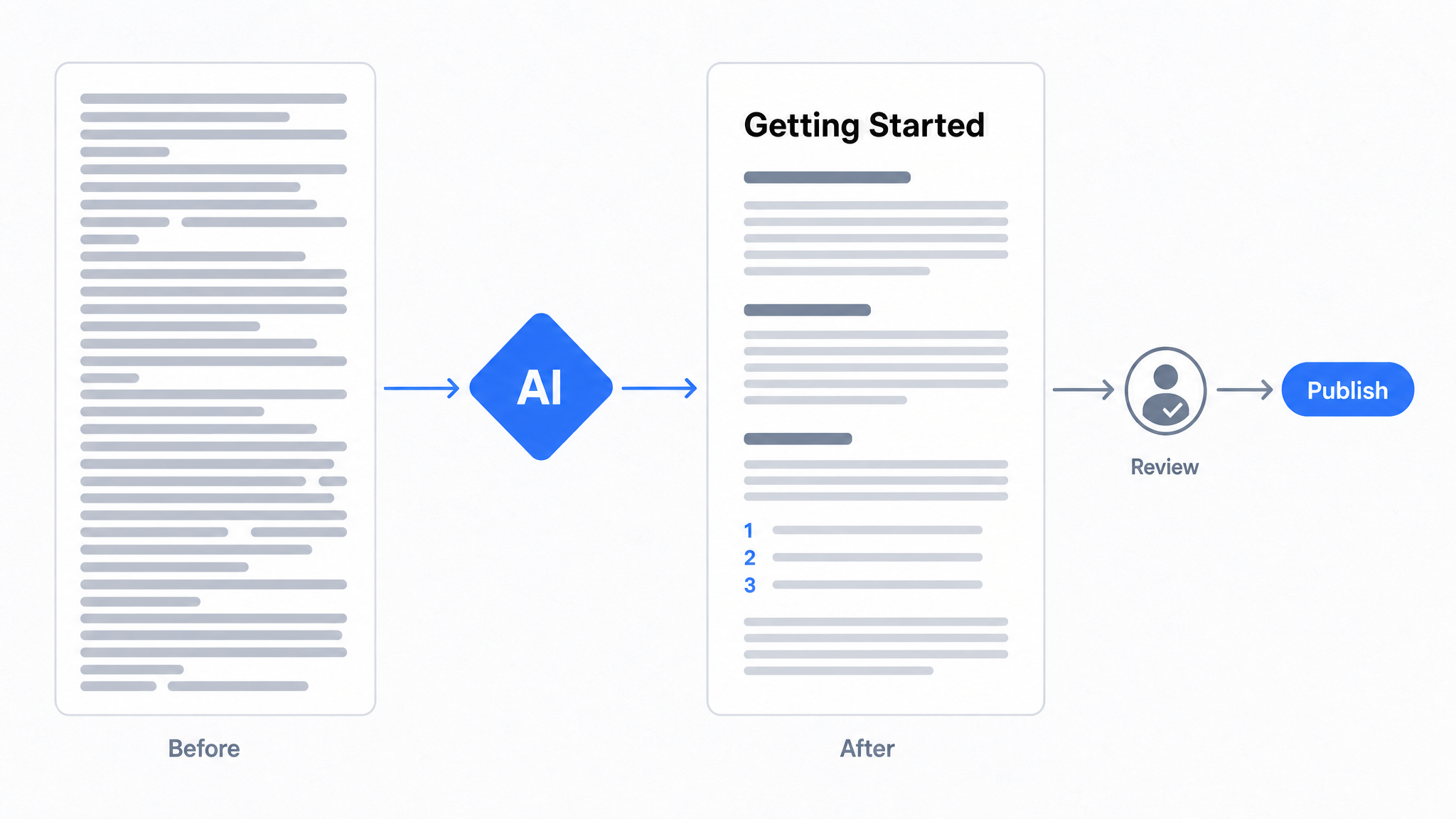
How to Use AI to Improve Existing Documentation
Use AI to audit, rewrite, and translate the documentation you already have, and let a connected agent draft improvements to stale pages for a human to publish.
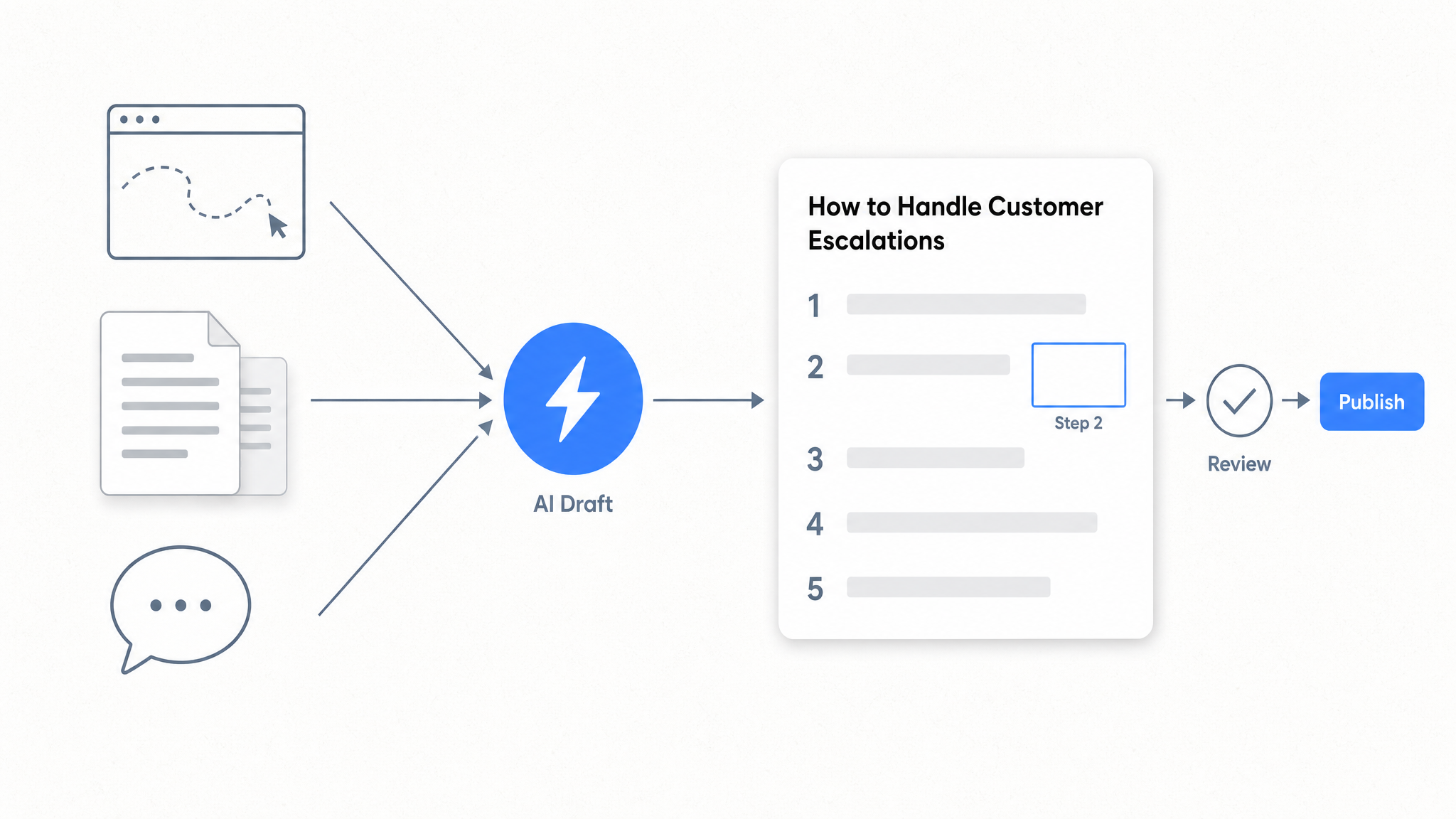
How to Automate SOP Creation with AI
Capture a workflow, let AI draft the SOP, review it, and publish it to a searchable knowledge base your team can query around the clock.
Ready to get started with Dewstack?
Try Dewstack free for 7 days. Create AI-powered documentation that answers questions instantly.
No credit card required.