AI Answers From Your Docs: Grounded Answers, Citations & Hallucination Control

AI Answers From Your Docs: Grounded Answers, Citations, and Hallucination Control
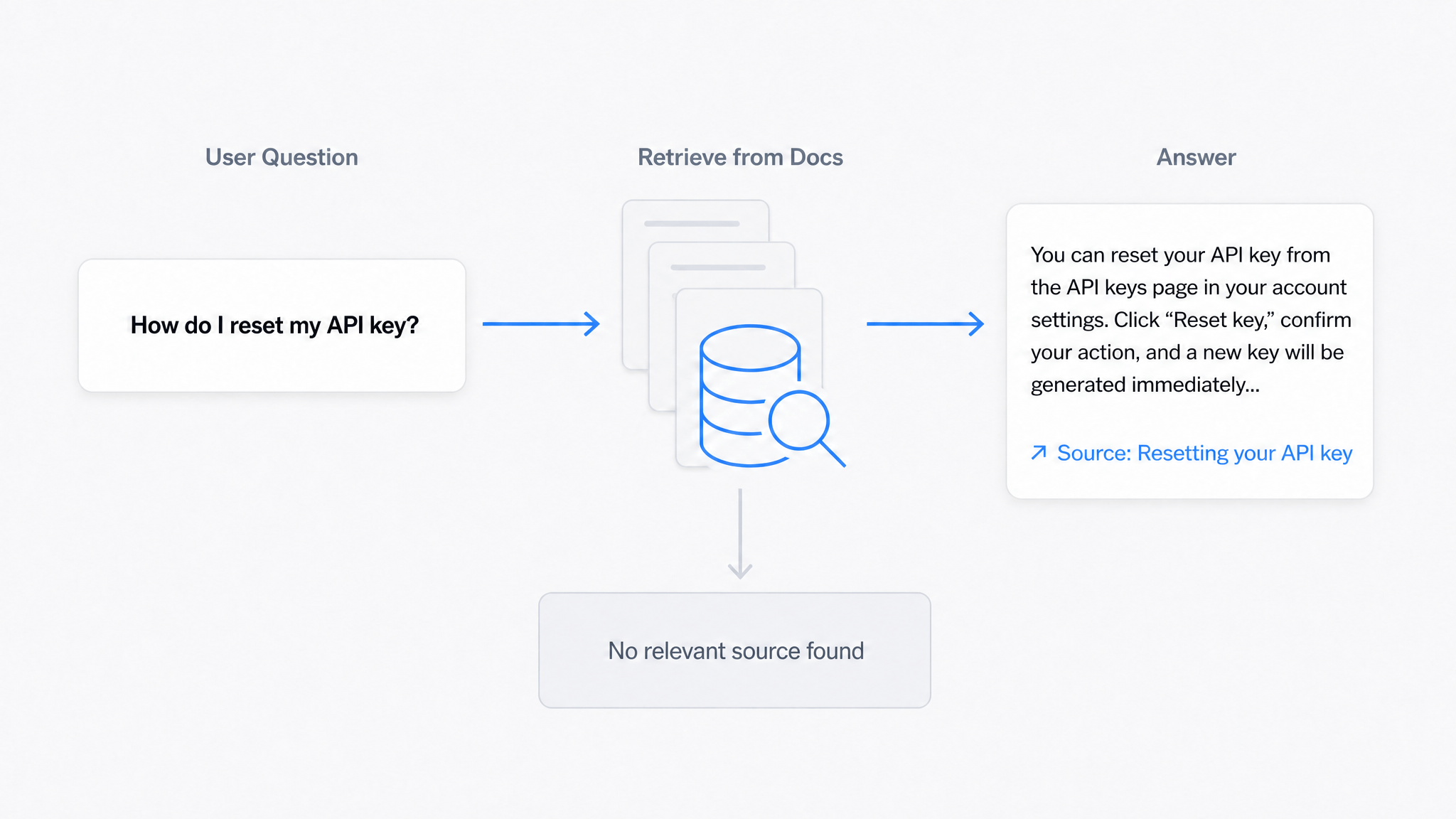
A grounded answer is an AI response generated exclusively from specific passages retrieved from your own documentation, with citations linking back to those source pages, rather than from the AI model's general training data. Grounding is the property that makes an AI chatbot safe to put in front of customers: it answers when your docs have the answer, cites where the answer came from, and declines when they don't.
Every team evaluating an AI chatbot for technical documentation is really asking one question: will it tell my users the truth? This article explains the mechanics that make the answer yes, how citations work, how hallucinations are controlled, what happens when your docs simply do not cover the question, and how to verify all of it before launch.
The Problem With Ungrounded Chatbots
A general-purpose chatbot dropped onto a docs site answers from its training data: a snapshot of the public internet, which knows nothing about your refund policy, your API limits, or the settings screen you redesigned in March. Asked a question, it produces something fluent and plausible. Sometimes it's right by coincidence. When it's wrong, it's wrong with total confidence, and there is no way for the user, or you, to check where the claim came from.
For documentation, fluency without verifiability is worse than useless. A user who follows a fabricated instruction doesn't just fail to self-serve; they take a wrong action and arrive at support angrier and further from resolution. That is the failure grounding exists to prevent.
How Grounded Answering Works
The technique is called retrieval-augmented generation (RAG), and it's easier to understand than the name suggests. Four steps happen in the seconds between a user's question and the answer:
1. Your docs are indexed by meaning. When content is imported, each section is converted into an embedding, a mathematical representation of what the passage means. Passages about similar topics end up "near" each other in this index, regardless of the exact words they use. (Our complete AI knowledge base guide walks through this pipeline end to end.)
2. The question retrieves relevant passages. The user's question is mapped into the same index, and the system pulls the handful of passages closest to it: your actual sentences, from your actual pages.
3. The answer is generated under constraint. The AI model is instructed to compose its answer from those retrieved passages only. It's a synthesis task ("summarize what these documents say about the user's question"), not a recall task ("say whatever you know about this topic"). This constraint is the grounding.
4. Sources travel with the answer. Because the system knows exactly which passages it used, it attaches them as citations: links to the source pages, so the user can verify in context.
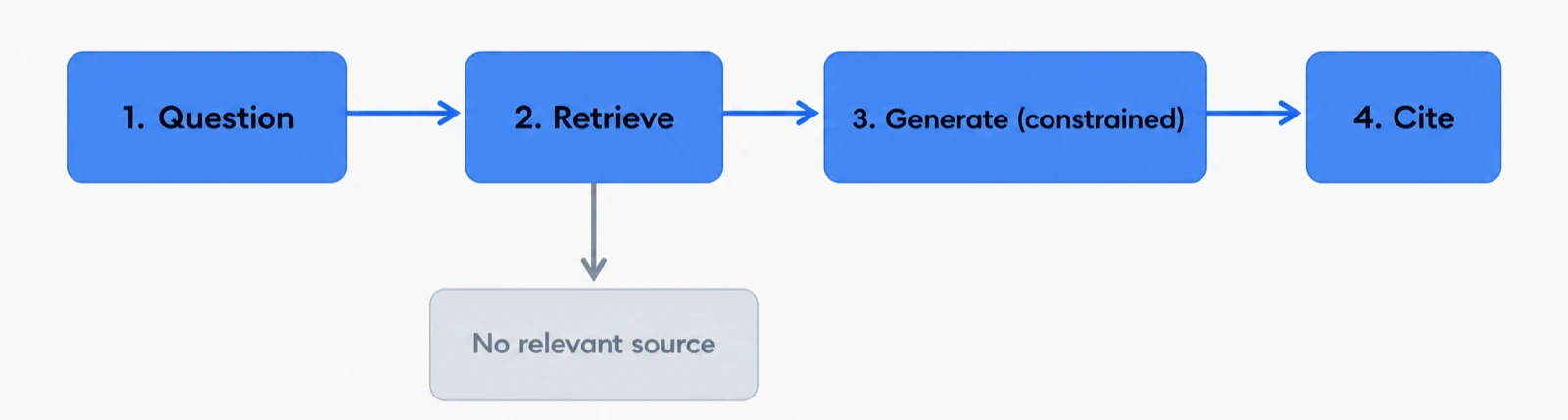
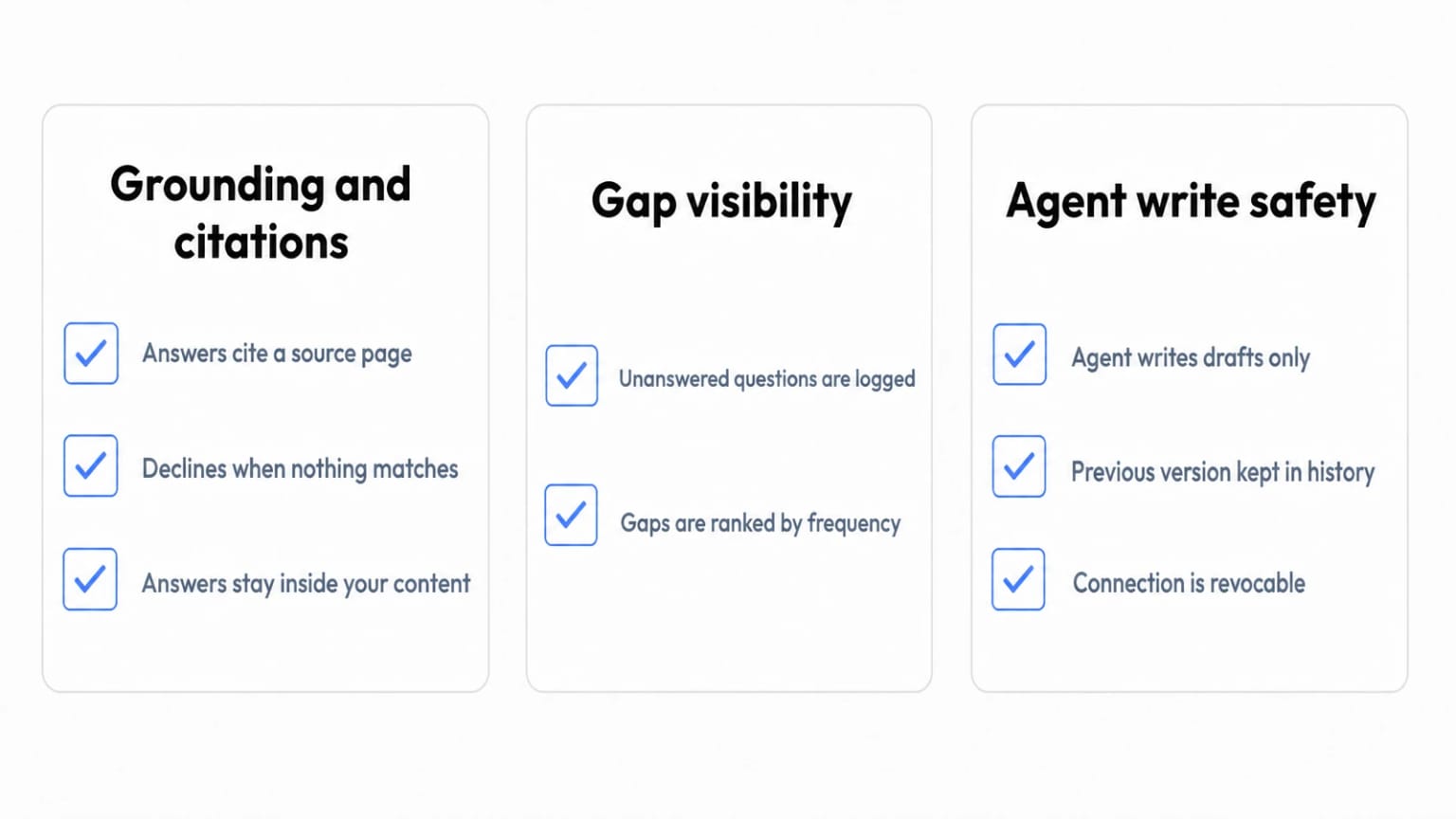
The critical fifth behavior is what happens when retrieval comes back empty: a well-built system declines. "I couldn't find this in the documentation" is a feature, not a failure. It is the difference between a system with boundaries and one that improvises. And every declined question is logged, becoming a precise content gap for your team to fill, the loop we describe in knowledge base automation.
Why Citations Are the Trust Mechanism
Citations do more work than they appear to:
For users, a citation converts "trust the bot" into "verify in one click." Users don't check every source, but knowing they can changes how the answer is received. Uncited AI answers ask for faith; cited answers offer evidence.
For admins, citations make the system auditable. Conversation logs show which documents power which answers. When an answer is wrong, you can trace it: was the source page outdated? Ambiguous? Did retrieval pull the wrong article? Each diagnosis leads to a concrete content fix rather than shrugging at a black box.
For maintenance, citation patterns are a quality signal. Pages that are cited constantly deserve extra review attention, because an error there multiplies across every answer that uses it. Pages never cited despite covering common topics may be poorly structured for retrieval.
This traceability is the practical answer to "how do AI knowledge bases link insights back to source documents": the link isn't decorative, it's structural. The answer was literally assembled from those pages.
Hallucination Control in Practice
Grounding shifts the risk profile rather than eliminating it entirely. Here's the honest breakdown:
| Failure mode | Ungrounded chatbot | Grounded system |
|---|---|---|
| Invents facts about your product | Common | Rare, answers constrained to retrieved text |
| Answers questions your docs don't cover | Always (by guessing) | Declines and logs the gap |
| Repeats an error in your docs | N/A (doesn't know your docs) | Yes, garbage in, garbage out |
| Over-summarizes nuance in a source | N/A | Occasionally, citations let users catch it |
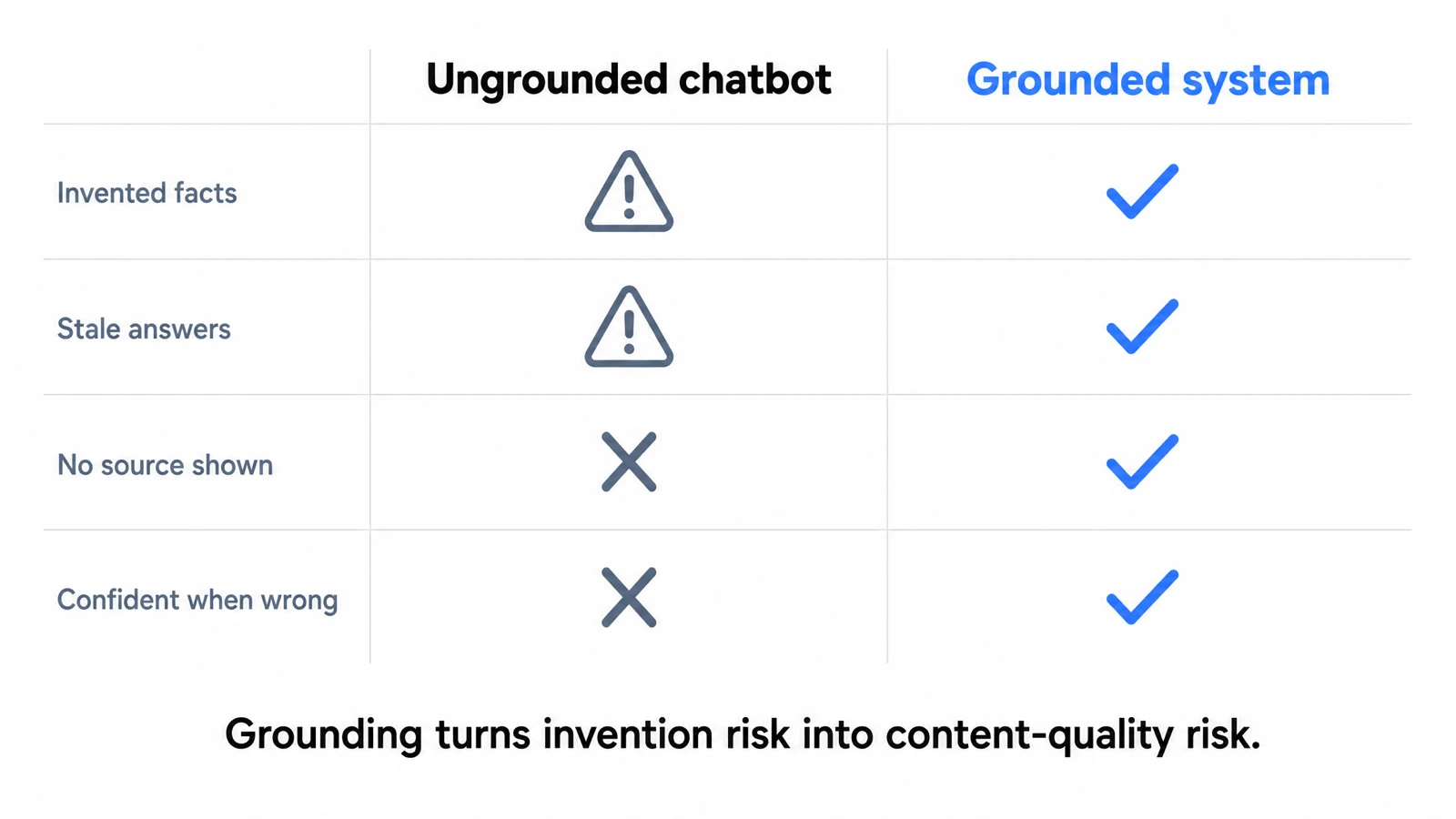
Two implications for operators. First, your remaining risk lives in your content: a grounded system faithfully amplifies whatever your docs say, so stale or wrong pages become confidently repeated wrong answers. Keeping sources accurate is the real hallucination control, which is why grounding and a self-updating maintenance loop are two halves of one system. Second, test before launch: take 50 real questions from your ticket history, ask the assistant, and check each answer for correctness and citation accuracy. An afternoon of testing tells you more than any vendor demo.
When There Is No Source To Ground Against
Every argument above assumes a source exists. The honest limit of grounding is that a grounded assistant is only as complete as the library behind it. A decline is the correct behavior, but it is not a resolution. The user still leaves without an answer, and they still open a ticket. The system did its job; your documentation did not.
So the interesting question is not "how do I stop the assistant inventing things", which grounding already answers. It is "how do I find out what my docs are missing, fast enough to matter."
Dewstack answers that with two signal tools that any connected agent can call:
list_content_gapsreports what readers searched for and did not find, plus the questions the assistant could not answer, with counts. Counts are the important part. A gap asked once is a curiosity. A gap asked two hundred times is a missing page with a queue of frustrated users behind it.list_stale_pagesreports published pages that have not been touched past a threshold you set. These are the pages most likely to be confidently repeating something that stopped being true.
Read together, the two tools describe the two shapes of documentation debt: things you never wrote, and things you wrote and stopped maintaining. Both degrade grounded answering, and neither shows up in a page-views report.
Closing The Loop: Letting An Agent Draft The Missing Pages
Finding the gap is half the loop. Filling it is the half that never happens, because writing the page competes with everything else on a support or product team's week.
As of August 2026, you can connect an AI agent to a Dewstack workspace and have it draft those pages for you. The setup is a one-time action in the product, not a project:
- Open Settings > Connectors > Add custom connector.
- Paste the Write connector URL. It ends in
/mcp-rw. - Sign in.
- Press Allow on an approval screen that names the workspace you are granting access to.
There are no keys to generate and no code to write. Only account Owners and Admins can approve a connection, so a teammate cannot quietly wire an agent into your documentation.
Two variations are worth knowing. ChatGPT supports this as a developer mode connector only, because OpenAI limits write-capable connectors to developer mode; ChatGPT's regular connector surface can read your docs but cannot write to them. Coding agents such as Claude Code and Cursor do not use the OAuth flow at all: they authenticate with an API key that carries the Read and write scope.
Once connected, the agent has three write tools:
create_collectionsets up a new section of the knowledge base.create_articlecreates a page, always as a draft.update_articleedits an existing draft, and the previous version goes to Page History first.
The Four Rules, Which Have No Exceptions
The reason this is safe to turn on is that the boundaries are enforced by the platform rather than by prompt instructions an agent might drift away from.
Drafts only. An agent cannot publish, cannot unpublish, and cannot touch a page that is already live. Everything it produces waits for a human. If you want an agent to rework a page that is currently published, a person unpublishes it first; otherwise the agent is refused.
History first. The previous version is saved to Page History before any change is written. Nothing an agent does is a one-way door.
Sanitised on the way in. Script handlers and unsafe embeds are stripped from incoming content, so a page assembled from a model's output cannot smuggle executable markup into your docs site.
Visible and revocable. The connection appears under API keys like any other credential. Revoking it disconnects the agent immediately.
Alongside those rules there are hard limits: 500 writes per day per connection or key, write access requires the workspace to be Public, and every write and every refused write is recorded against the key. Page History attributes agent edits to the connection's key name, for example "Claude connector - agent update", and one click restores the previous version.
One quality detail matters more than it sounds. Agents receive Dewstack's docs dialect when they connect, so what comes back is shaped like documentation: callouts, numbered step blocks, tables, and video embeds, rather than a wall of prose that a human then has to break apart before it is usable.
A Worked Example
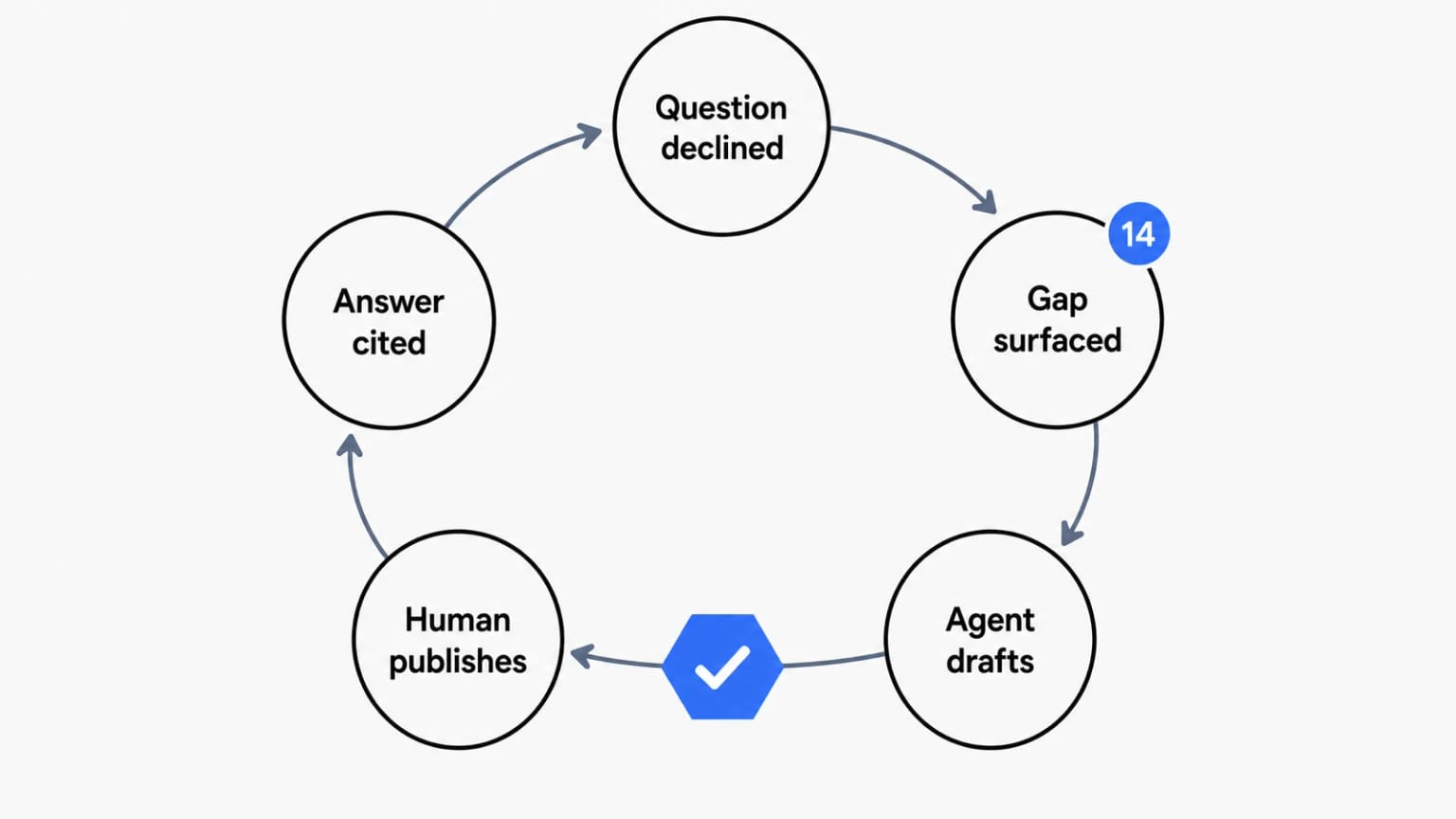
Say list_content_gaps returns "how do I change the billing email" with a count of 143, and no page covers it. The loop looks like this:
- You ask Claude, connected to your workspace, to review the top gaps.
- Claude calls
list_content_gaps, sees the billing email question near the top, and callscreate_articleto draft a page in the Billing collection, using the docs dialect so the procedure comes out as a numbered step block with a callout about permissions. - The draft appears in Dewstack. Nothing is live. Nobody outside your team can see it.
- A human on your team opens it, corrects the two details the agent could not know, and publishes.
- The next reader who asks that question gets a grounded answer with a citation, and the gap count stops climbing.
The agent did the part that was mechanical: noticing, structuring, and drafting. The human did the part that requires knowing your product: verifying and deciding to publish. That division is the whole point, and it does not change with volume.
Deciding What To Hand An Agent
Not every gap is a good first assignment. Reasonable criteria:
- High count, low stakes first. Frequently asked, factually simple pages such as "where do I find X" are ideal. Security, legal, and pricing pages are not, because the cost of a subtly wrong draft slipping past a tired reviewer is high.
- Prefer gaps where a source already exists somewhere. If the answer lives in a release note or a support macro, the agent has something concrete to work from and your review is a comparison rather than a fact-check from zero.
- Batch by collection. Drafting six related pages in one collection gives you one coherent review session instead of six context switches.
- Watch stale pages separately. Since an agent cannot touch a live page,
list_stale_pagesoutput becomes a human triage queue: decide what deserves a refresh, unpublish those, then let the agent work on the drafts.
The failure mode to avoid is treating drafts as done. A draft queue nobody reviews is worse than an empty backlog, because it looks like progress. Set a standing slot to clear it, and measure the loop by pages published, never by pages drafted.
Deployment: Meeting Users Where the Questions Happen
Grounded answers only deflect tickets if they're available at the moment of confusion. Check three deployment surfaces:
- On the docs site itself, as conversational search: users ask instead of browsing categories.
- Embedded in your product or website via a widget or iframe, so a user stuck on the billing page can ask about billing without leaving it. Dewstack's SmartDocs embeds with a snippet on any site.
- In your team's tools, such as a Slack integration, so internal teams get cited answers from the same knowledge base without switching context.
One practical procurement note: AI answering is metered. Understand each plan's answer quota, overage behavior, and whether admin testing counts, before you commit. Dewstack's tiers and quotas are listed on the pricing page. Predictable quotas are how you keep the economics boring, which is what you want.
An Evaluation Checklist
Before putting any AI assistant in front of users, confirm:
- Answers are generated only from your content (ask the vendor to demonstrate a decline on an out-of-scope question)
- Every answer carries citations that link to real, current pages
- Conversation logs expose unanswered and poorly-answered questions
- There is a way to see gaps with counts, not just a raw log you have to read manually
- You've tested with 50 real questions from your own ticket history
- Widget/iframe embedding works where your users actually get stuck
- Quotas and pricing scale predictably with your traffic
- There's a content maintenance loop, because the answers are only as good as the docs
- If agents can write, they write drafts only, previous versions are kept, and a human publishes
Grounded answering is the payoff of the whole AI knowledge base architecture: your documentation, finally delivered as answers rather than homework. The gap tools and agent drafting are what keep that payoff from decaying, by turning the questions your docs failed to answer into the next pages your team reviews and publishes. If you want to see it running on your own content, import your docs into Dewstack and put SmartDocs through the 50-question test. That's the fairest evaluation any platform can face.
Ready to Elevate Your Documentation?
Try Dewstack free for 7 days. Create AI-powered documentation that answers questions instantly.
Start a free trialANSWERS TO
Frequently Asked Questions
Here are some common questions that might provide the information you're seeking.
Related Blogs
How to Use AI to Improve Existing Documentation
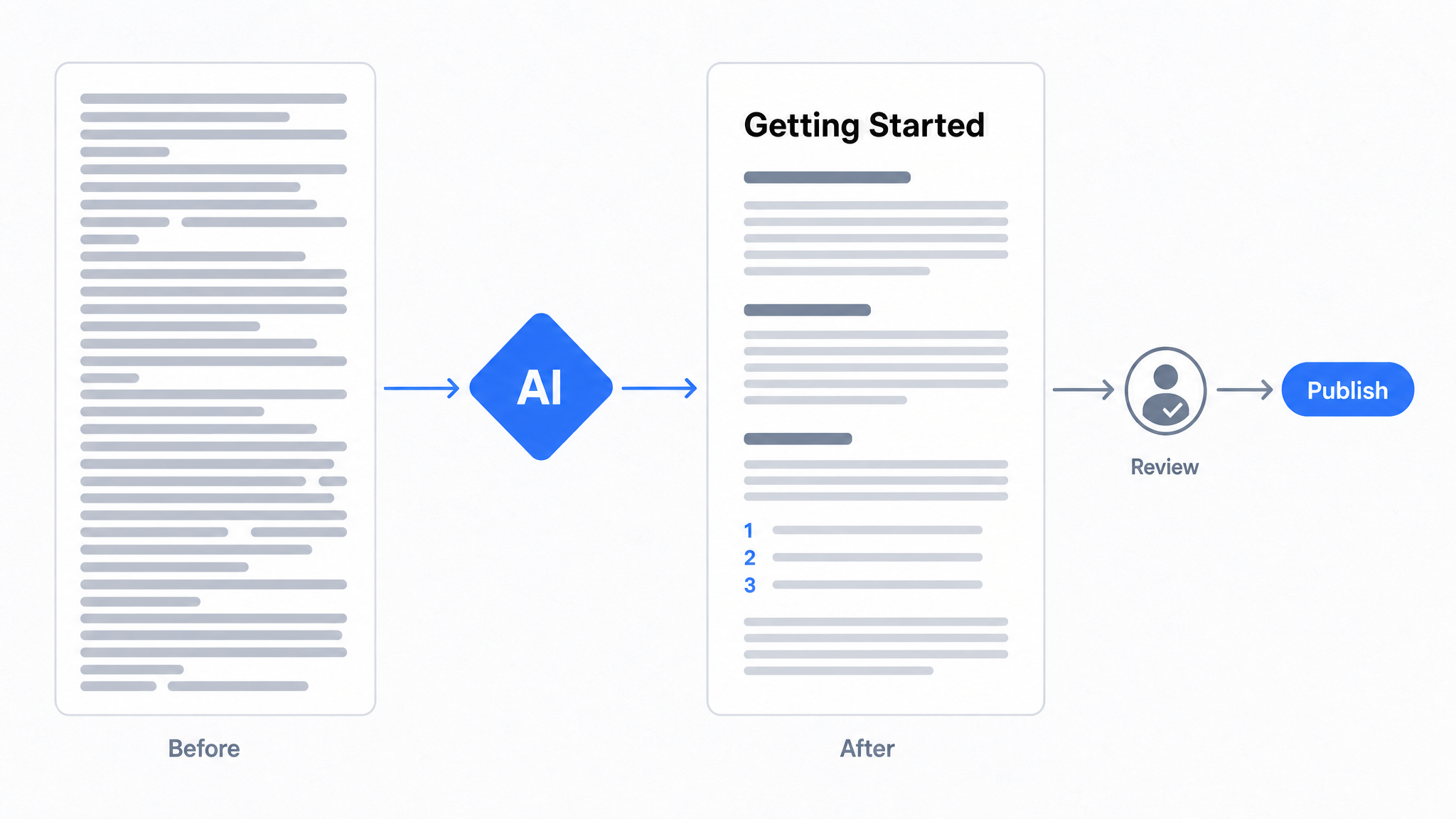
Use AI to audit, rewrite, and translate the documentation you already have, and let a connected agent draft improvements to stale pages for a human to publish.
How to Automate SOP Creation with AI
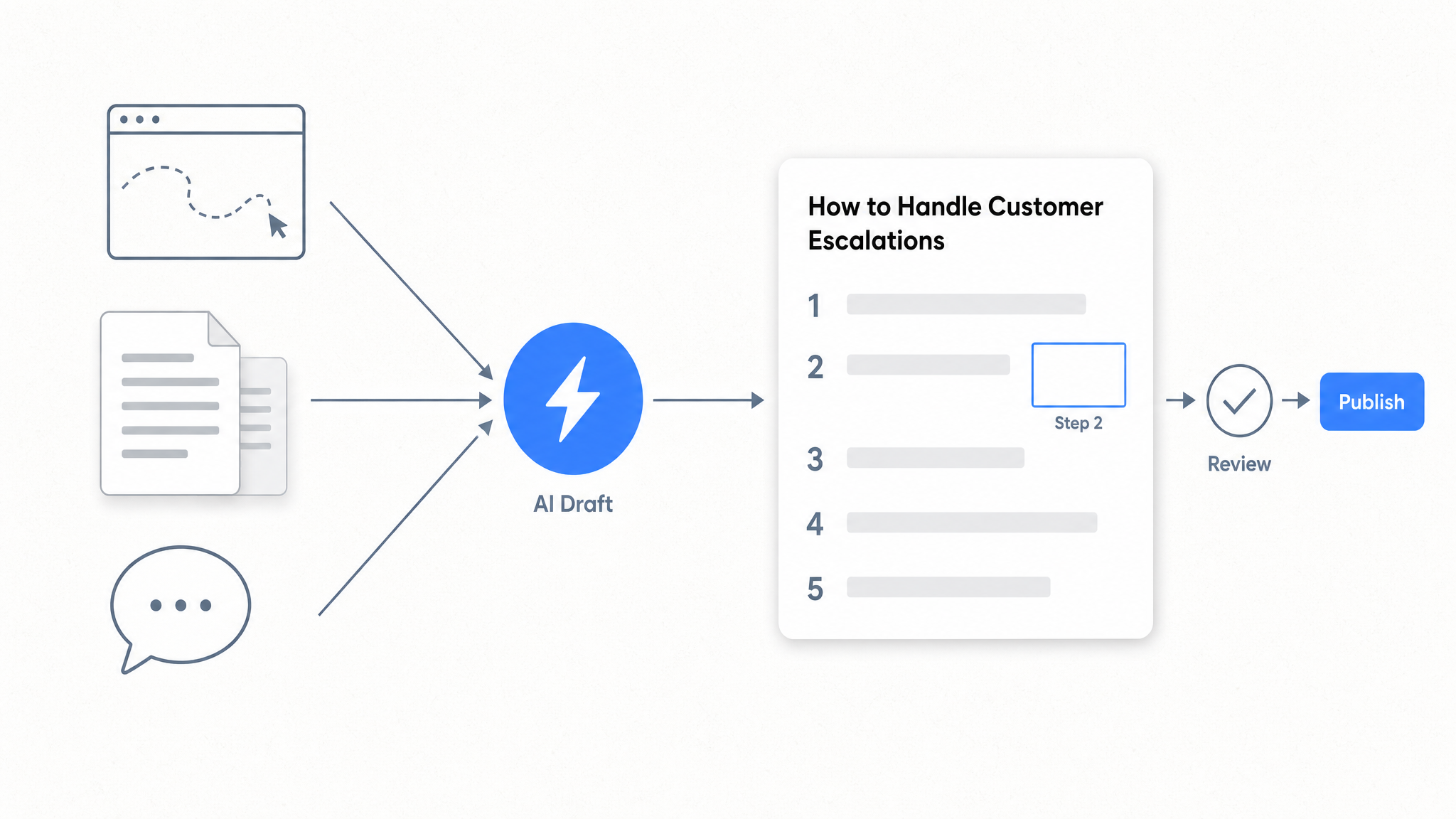
Capture a workflow, let AI draft the SOP, review it, and publish it to a searchable knowledge base your team can query around the clock.
Best Documentation Platform for SaaS Companies in 2026
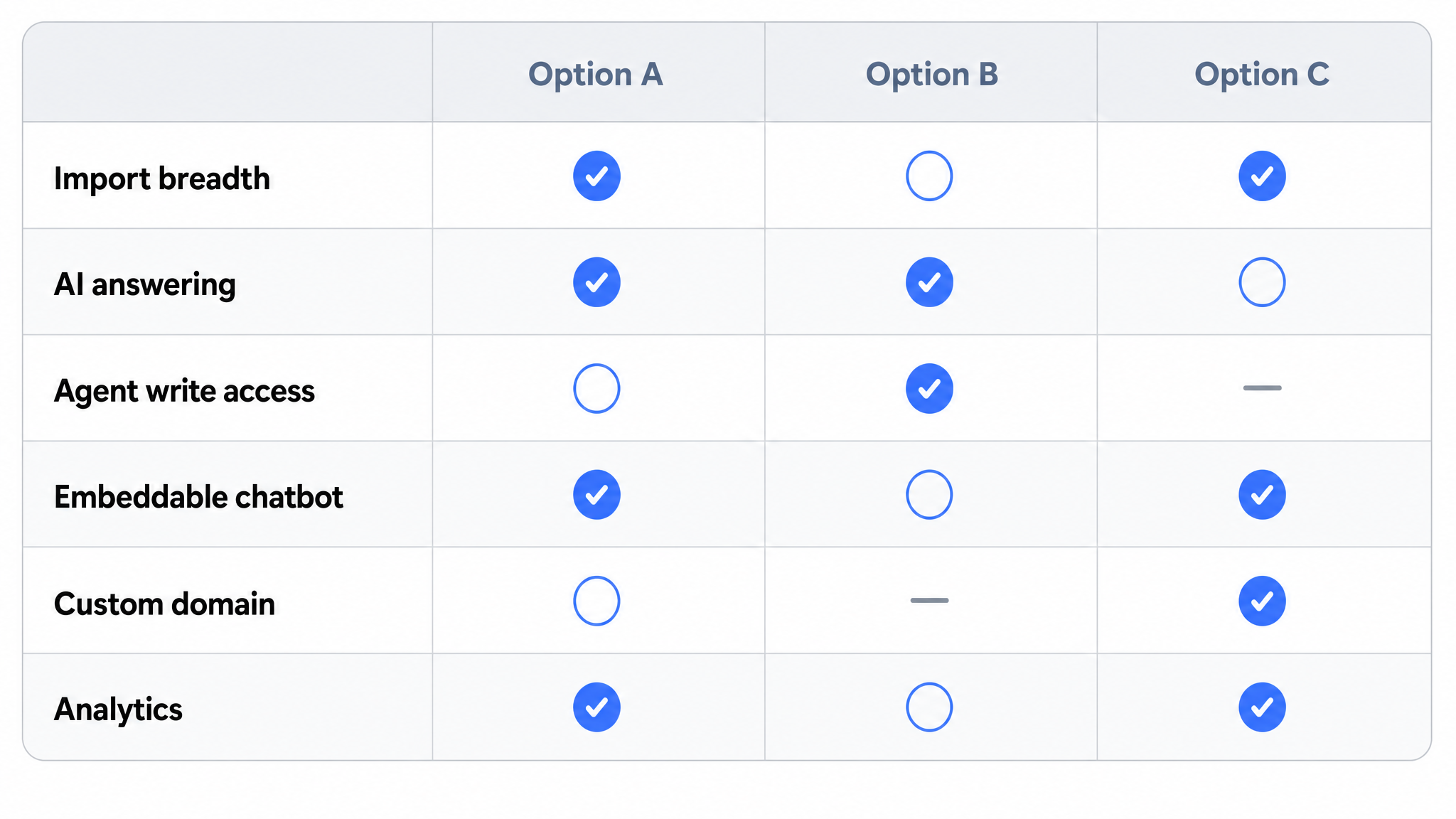
Compare documentation platforms for SaaS teams. See how Dewstack's agent write path, SmartDocs AI, and 20+ imports cut support tickets. Start free today.
Ready to get started with Dewstack?
Try Dewstack free for 7 days. Create AI-powered documentation that answers questions instantly.
No credit card required.