AI Knowledge Base: What It Is & How to Build One (2026)


AI Knowledge Base: What It Is & How to Build One (2026)
An AI knowledge base is a documentation system that uses artificial intelligence to understand questions asked in plain language and answer them directly from your organization's own content, with links back to the source documents. Unlike a traditional knowledge base, which returns a list of articles matching keywords, an AI knowledge base retrieves the most relevant passages, generates a direct answer grounded in them, and learns from every unanswered question where your documentation has gaps.
That single shift, from "here are ten articles that mention your words" to "here is the answer, and here is where it comes from," changes what documentation can do for a business. Support teams deflect the repetitive tickets that make up most of their queue. New hires stop interrupting senior colleagues for answers that were written down years ago. And documentation stops being a static archive that quietly decays.
This guide explains how AI knowledge bases actually work in terms an ops manager or support lead can act on, how to decide between building and buying, how to implement one step by step, and what to look for when evaluating AI knowledge base software.
There's a ready-made version of this
Your knowledge base is already live at yourcompany.dewstack.com, article structure and metadata and all. Edit it, don't start it.
Preview itNo credit card. Edit it, don't start it.
Key Takeaways
What You Will Learn in This Guide
- An AI knowledge base answers questions directly from your content, with source citations, instead of returning keyword-matched links
- The pipeline is simple to understand: ingest your docs, index them by meaning, retrieve the relevant passages for each question, and generate a grounded answer
- Grounding and citations are the difference between a trustworthy system and a chatbot that makes things up
- For most teams, buying a platform beats building a pipeline in-house
- Success depends less on the AI and more on content quality and a maintenance loop driven by real user questions
What Makes a Knowledge Base "Intelligent"?
A traditional knowledge base works like a library catalog. Content lives in categories, and search matches the words users type against the words writers used. If a customer searches "can't log in" but your article is titled "Authentication troubleshooting," the search fails, even though the answer exists.
An AI knowledge base closes that gap in three ways:
It understands meaning, not just keywords. Semantic search recognizes that "sign in," "log on," and "authentication" describe the same concept. Users no longer need to guess your internal terminology.
It answers questions instead of listing documents. Rather than returning five articles for the user to read, it synthesizes a direct answer from the relevant passages and cites the pages it drew from.
It learns from usage. Every question users ask, and especially every question the system cannot answer, becomes a signal about what content is missing or stale. This feedback loop is what people mean by a self-learning knowledge base, and it is the mechanism that keeps the system improving after launch.
| Traditional knowledge base | AI knowledge base | |
|---|---|---|
| Search | Keyword matching | Semantic understanding of intent |
| Output | List of articles | Direct answer with source citations |
| Terminology | Users must match the writer's words | Handles synonyms and natural phrasing |
| Gap detection | Manual audits | Automatic, from unanswered questions |
| Maintenance | Scheduled reviews, often skipped | Signals surface stale content continuously |
| Interface | Search box and category tree | Search plus conversational Q&A, embeddable widgets |
How an AI Knowledge Base Works (Explained for Non-Engineers)
You do not need a machine learning background to run an AI knowledge base well, but understanding the four stages of the pipeline helps you diagnose problems and evaluate vendors. Here is the whole thing, without the jargon.

Stage 1: Ingestion — getting your content in
The system collects your documentation from wherever it lives: existing help articles, Notion pages, Google Docs, Confluence spaces, Word files, PDFs. Good platforms import these directly and can re-sync when the source changes, so the knowledge base reflects the current version of each document rather than a snapshot from six months ago. This sync capability matters more than most buyers realize; it is the foundation of a knowledge base that keeps itself up to date.
During ingestion, long documents are split into focused sections (often called "chunking"). This matters because answers usually live in a paragraph, not a 3,000-word article.
Stage 2: Embeddings — indexing by meaning
Each section of content is converted into an embedding: a numerical representation of what the text means, not just what words it contains. Think of it as plotting every passage on a giant map where passages about similar topics sit near each other. "Reset your password" and "recover account access" end up close together on that map even though they share no keywords.
This map is what lets the system match a customer's phrasing to your writer's phrasing.
Stage 3: Retrieval — finding the relevant passages
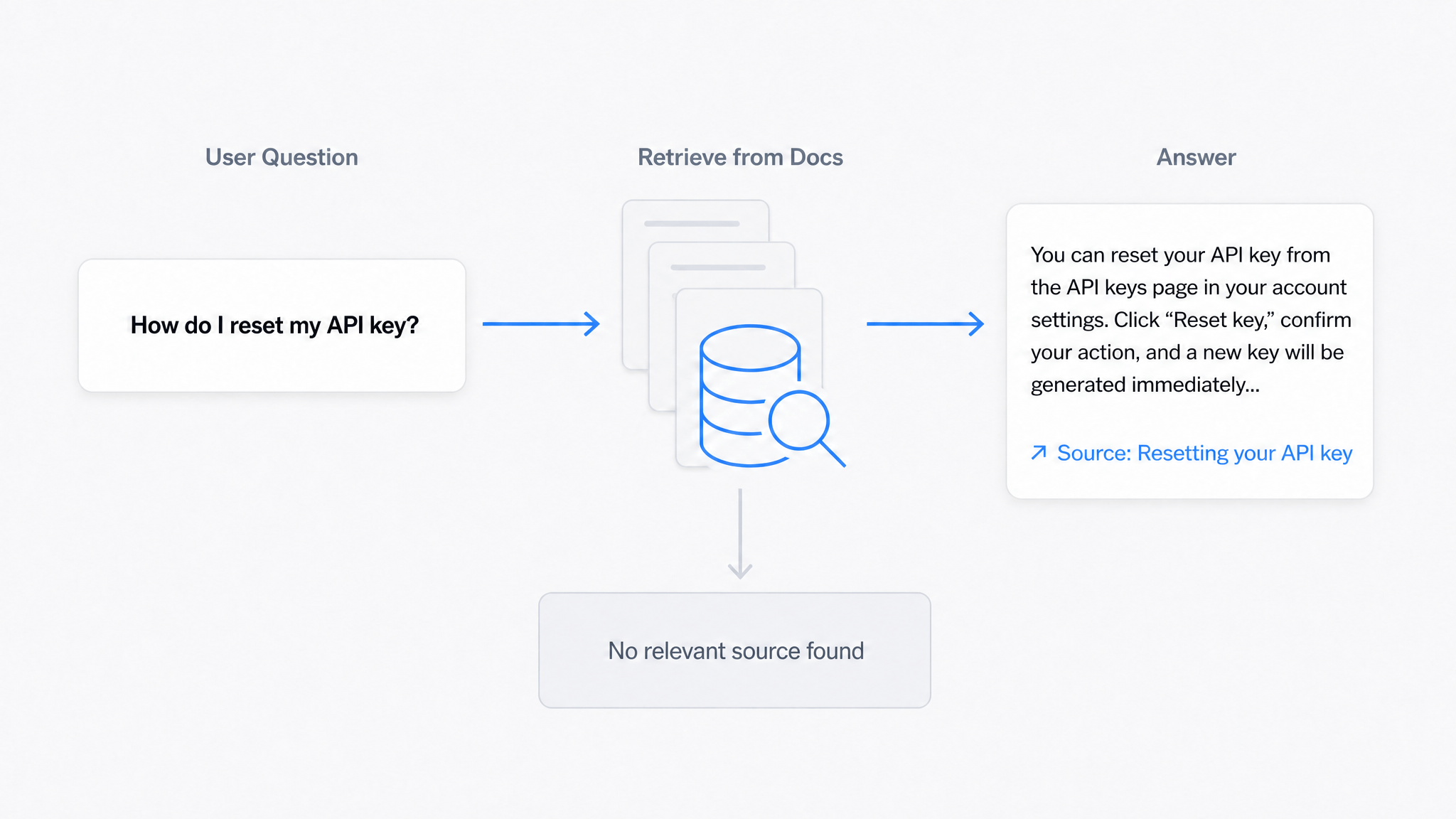
When someone asks a question, the question itself is placed on the same map, and the system pulls the handful of passages that sit closest to it. These retrieved passages, drawn from your actual documentation, become the raw material for the answer.
Stage 4: Grounded answers — responding with citations
Finally, an AI model composes an answer, but with a critical constraint: it must answer from the retrieved passages, not from its general training data. This technique is called retrieval-augmented generation, and the result is a grounded answer: a response built from identifiable source passages, delivered with links back to those source pages.
Grounding is the single most important concept when evaluating AI knowledge base software. It is what separates a system your customers can trust from a chatbot that confidently invents refund policies you do not have. If nothing relevant is retrieved, a well-built system says so instead of guessing.
The Business Case
You do not need inflated statistics to justify an AI knowledge base. The cost of the status quo is visible in your own data:
- Repetitive tickets. Pull your last month of support tickets and count how many were answered by pointing to an existing document. For most teams it is a large share of the queue, and every one of those tickets is a self-service failure with a real labor cost.
- Interrupted experts. Senior staff answer the same internal questions repeatedly because finding the answer is harder than asking a colleague. Teams that fix this consistently report saving hours per person per week.
- Slow onboarding. New hires ramp faster when they can ask questions and get direct, cited answers instead of hunting through folders.
- Stale documentation risk. When docs are wrong, people either follow bad instructions or learn to distrust the docs entirely. Both outcomes are expensive.
A simple way to size the opportunity: estimate the number of tickets per month that a documented answer could have resolved, multiply by your cost per ticket, and compare that against platform pricing. For most teams the math resolves in weeks, not years.
Build vs. Buy
The components of an AI knowledge base are all available as open-source libraries and APIs, so it is tempting to have engineering build one. Here is the honest comparison.
Building in-house means assembling and maintaining: connectors to every content source, a chunking and embedding pipeline, a vector database, retrieval and ranking logic, prompt engineering with hallucination controls, citation tracking, a user-facing interface, an embeddable widget, analytics, and access controls. Each piece is tractable; the sum is a permanent engineering commitment, because models, APIs, and best practices change every few months. Build only if you have unusual constraints (strict data residency, air-gapped environments) or the knowledge base is itself your product.
Buying a platform gets you the same architecture as a managed product. The pipeline, grounding, citations, widgets, and analytics are the vendor's problem; your team's job reduces to what it should be, keeping the content accurate. Platforms like Dewstack bundle the full loop: import from Notion, Google Docs, Confluence, and PDF, hosted docs on your domain, the SmartDocs AI assistant that answers from your content with citations, and an embeddable Ask widget for your site or app.
A useful middle path for skeptical teams: run a two-week pilot on a platform with your real content and your real support questions. The pilot answers the build-vs-buy question with evidence instead of opinion.
What to Look For in AI Knowledge Base Software
When comparing vendors, these are the capabilities that separate strong platforms from thin wrappers around a chat API. Use this as your evaluation checklist:
Answer quality and trust
- Answers are grounded in your content only, with visible source citations on every answer
- The system declines to answer when your docs do not cover a question, rather than guessing
- You can review conversation logs to audit what the AI told users
Content ingestion and freshness
- Direct imports from the tools you already use (Notion, Google Docs, Confluence, Word, PDF)
- Re-sync or update workflows so changed source documents flow through, not one-time imports
- Version history so you can see and roll back changes
Feedback and improvement loop
- Unanswered questions and zero-result searches are surfaced to admins automatically
- Analytics show what users search for, what they find, and where they give up
- Ideally, AI-assisted drafting to turn identified gaps into new FAQ articles quickly — the core of knowledge base automation
Delivery and integration
- Hosted docs site with custom domain and branding
- Embeddable Q&A widget for your website or app
- Access controls: public, password-protected, or team-restricted content
- Predictable AI answer quotas and pricing you can budget for — check the pricing model before you commit, since some vendors meter per answer in ways that get expensive at scale
Practical operations
- Multiple projects or workspaces if you serve several products or audiences
- An editor your non-technical writers will actually use
- Exportability, so your content is never locked in
Weight these by your situation. A support team embedding answers on a marketing site cares most about the widget and grounding; an internal ops team cares most about imports, sync, and access control.
Implementation Roadmap: Six Steps

Step 1: Audit what you have
Inventory your documentation across wikis, drives, help centers, and long-suffering shared folders. For each source, note what is current, what is stale, and who owns it. Most teams find the content is 70% there but scattered.
Step 2: Mine your real questions
Export a month of support tickets, chat transcripts, and internal Slack questions. Cluster them by topic. This list, not your site map, defines what the knowledge base must answer on day one. Prioritize the top clusters ruthlessly.
Step 3: Import and structure
Bring content into your platform via direct imports rather than copy-paste, so sync stays possible. Break long documents into focused articles with clear, question-shaped headings ("How to cancel a subscription" beats "Account management, part 3"). Clear structure helps humans and retrieval equally.
Step 4: Test with real questions before launch
Take 50 real questions from Step 2 and ask them. Check three things per answer: is it correct, is it grounded in the right source, and does the citation point where a user could verify? Fix content, not the AI, when answers miss; a wrong answer almost always traces to a missing, buried, or outdated passage.
Step 5: Launch where users already are
Publish the hosted site, then embed the Ask widget in your product, help center, or website so users hit it at the moment of need. For internal use, put it in the tools your team lives in. Adoption follows convenience.
Step 6: Run the maintenance loop
Weekly: review unanswered questions and zero-result searches; draft or assign fixes. Monthly: re-run your test question set and review analytics for drifting topics. Quarterly: prune or update stale articles flagged by low engagement or source changes. This loop is small, but it is the whole difference between a knowledge base that compounds and one that decays.
Get this knowledge base as a live site
Your knowledge base is already live at yourcompany.dewstack.com, article structure and metadata and all. Edit it, don't start it.
Start free and get it liveNo credit card. Edit it, don't start it.
Measuring Success
Track a small set of metrics and resist dashboard sprawl:
- Answer rate: share of questions the AI answered with a grounded response (vs. declined or missed)
- Deflection: change in repetitive ticket volume for topics the knowledge base covers
- Zero-result rate: searches and questions with no relevant content, trending down over time
- Citation click-through: users verifying sources is a sign of healthy trust, not failure
- Content freshness: share of articles reviewed within their owner's cadence
Set baselines before launch (Step 2 gives you most of them) so you can demonstrate impact honestly rather than with borrowed industry statistics.
Build Your AI Knowledge Base with Dewstack
Dewstack is an AI-powered documentation platform built around exactly the loop this guide describes. Import your existing content from Notion, Google Docs, Confluence, Word, or PDF. Publish hosted docs on your own domain with your branding. SmartDocs, Dewstack's AI assistant, answers questions directly from your content with source citations on every answer, and the embeddable Ask widget puts those answers on any page of your site or app. Conversation logs and search analytics show you exactly which questions went unanswered, so your maintenance loop runs on evidence instead of guesswork.
If you are evaluating AI knowledge base software, the fastest way to decide is a pilot with your own content and your own questions. Try Dewstack free — plans and AI answer quotas are on the pricing page.
Ready to Elevate Your Documentation?
Try Dewstack free for 7 days. Create AI-powered documentation that answers questions instantly.
Start a free trialANSWERS TO
Frequently Asked Questions
Here are some common questions that might provide the information you're seeking.
Related Blogs
AI Answers From Your Docs: Grounded Answers, Citations & Hallucination Control
How an AI chatbot for technical documentation gives grounded answers with source citations, controls hallucinations, and turns unanswered questions into drafted pages.
How to Use AI to Improve Existing Documentation
Use AI to audit, rewrite, and translate the documentation you already have, and let a connected agent draft improvements to stale pages for a human to publish.
How to Automate SOP Creation with AI
Capture a workflow, let AI draft the SOP, review it, and publish it to a searchable knowledge base your team can query around the clock.
Ready to get started with Dewstack?
Try Dewstack free for 7 days. Create AI-powered documentation that answers questions instantly.
No credit card required.