Self-Learning Knowledge Base: What It Really Means (Hype vs. Practice)

Self-Learning Knowledge Base: What It Really Means
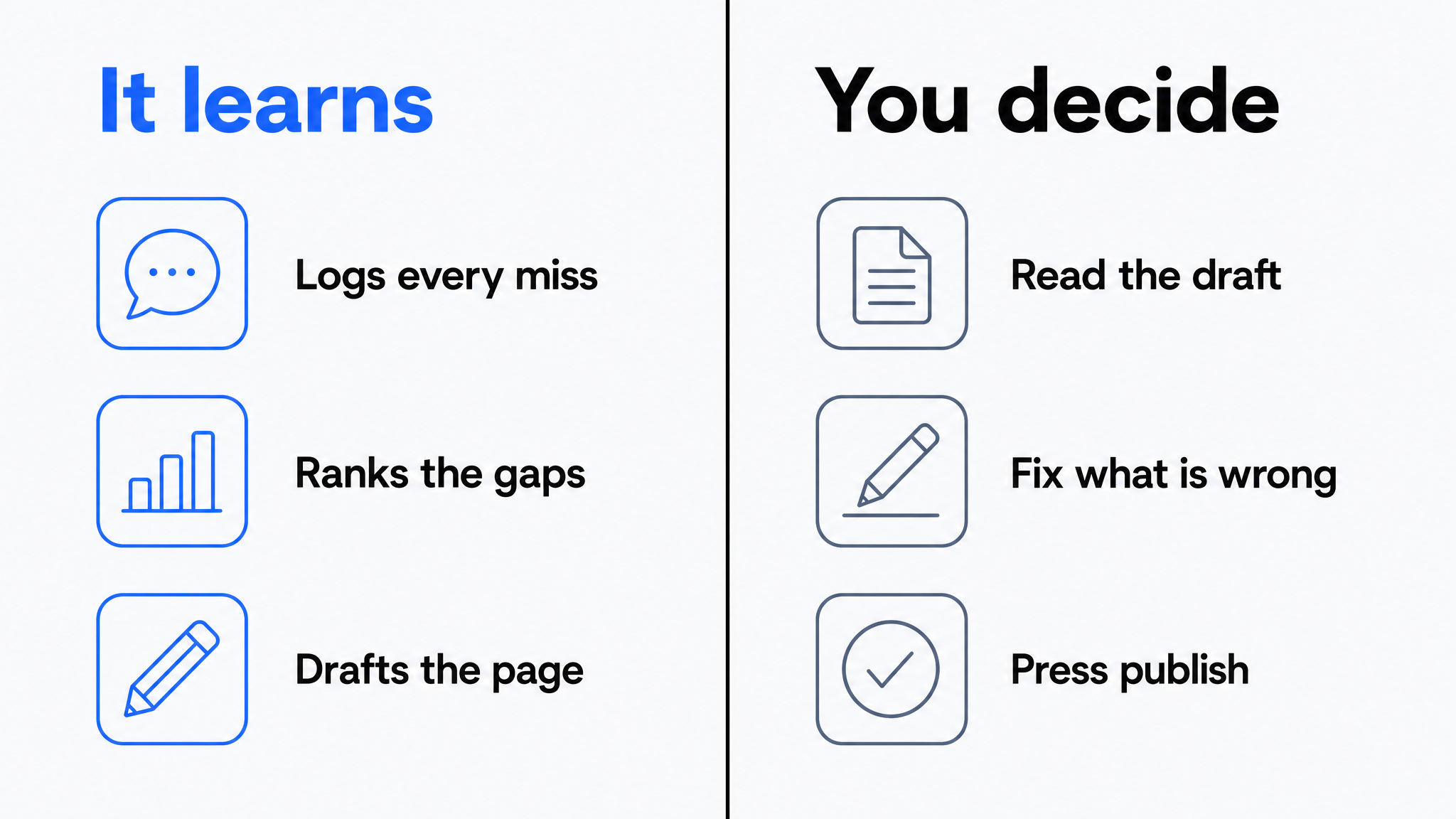
A self-learning knowledge base is a documentation system that improves through feedback loops driven by real usage: it captures the questions users actually ask, detects which ones the content failed to answer, ranks those gaps by frequency, and drafts the missing content for human review. The learning is in the loop, not in an AI mystically rewriting your docs while you sleep.
"Self-learning" is one of the most abused phrases in the knowledge management market, so this article does two jobs: it separates the marketing version from the mechanism that actually exists, and it shows you how to run that mechanism so your knowledge base genuinely gets better every week.
It also does something the earlier version of this article could not do. One step of the loop, the drafting step, is now automated end to end in a real product. That makes the boundary easier to describe, not fuzzier. You can point at the exact place where software stops and a person starts.
The Hype Version vs. the Real Version
The hype version goes like this: install an intelligent knowledge base, and AI will autonomously learn your business, write your documentation, and keep it current forever. No such product exists, and Dewstack is not one either. AI cannot know that your refund window changed last Tuesday, or what the workaround for the new SSO bug is. That knowledge lives in your team's heads and systems, and someone has to put it into words at least once. Nothing about agent-capable tooling changes that. An agent that writes into your workspace is still writing from what you already published, plus what your users asked, plus whatever a person tells it in the prompt.
What has changed is narrower and worth stating precisely. The drafting step used to require a human to read a gap report, open an editor, and retype the answer. That handoff is now genuinely automated: an agent can read the gap signals directly, write a draft into your workspace, and stop there. The review step is unchanged and mandatory. Software got one step further down the loop. It did not get to the end of it.
The real version is less magical and more useful: a knowledge base instrumented so that every user interaction teaches you something, and the lessons arrive as a ranked to-do list instead of anecdotes. Three kinds of learning actually happen in practice:
1. Retrieval learning. Semantic search and AI answering understand meaning, so the system handles phrasings nobody wrote articles for. Ask "why did my card get declined" and it finds your payments troubleshooting page even though those words never appear in it. This is genuine machine learning, baked into the models. You get it on day one without training anything.
2. Gap learning. Every question the AI assistant cannot answer, and every search that returns nothing, is logged in the user's own words. Clustered and counted, these become a precise, demand-ranked map of what your documentation is missing. This is the heart of the self-learning loop, and it is data you have never had before: traditional knowledge bases only told you what people read, never what they needed and did not find.
3. Quality learning. Ratings, citation click-throughs, rephrased follow-up questions, and rising-traffic-falling-satisfaction patterns flag content that exists but is not working: articles that are outdated, ambiguous, or answering the wrong version of the question.
What none of these do is remove the human from publishing. The system learns what to fix. People still decide what is true.
The Loop, Step by Step
Here is the full cycle a self-learning knowledge base runs, and where automation ends and judgment begins:
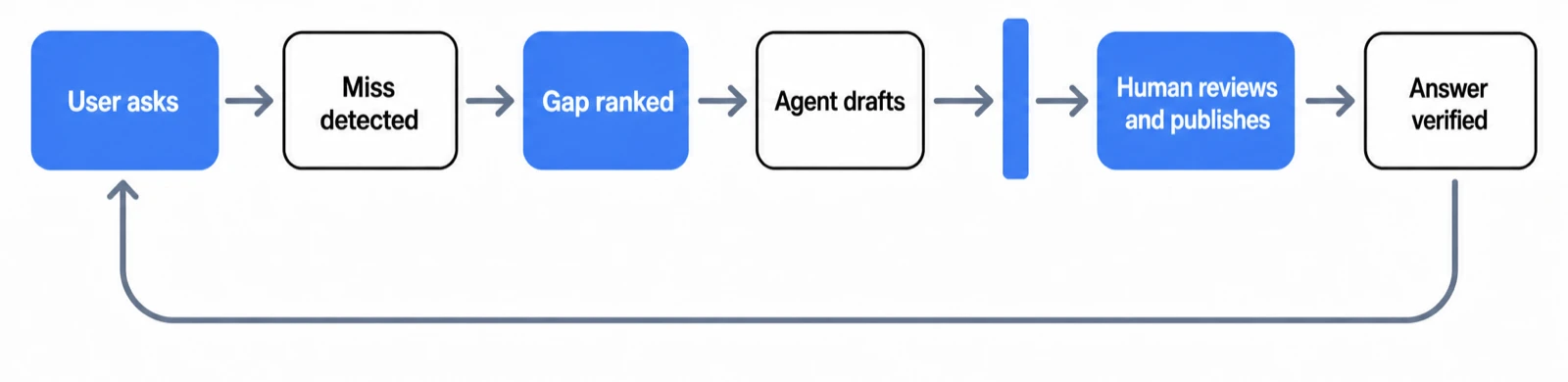
Step 1: Capture real questions
Users ask questions through the docs site's AI assistant or an embedded widget. Unlike search keywords ("sso saml error"), conversational questions are complete thoughts ("how do I set up SAML SSO for a workspace that already uses Google sign-in?"). This phrasing is gold: it tells you not just the topic but the exact scenario and vocabulary your users have.
Step 2: Detect the misses
The system separates questions it answered with grounded, cited responses from ones it declined or answered poorly. The misses go to a log. (How grounded answering and declining work is covered in AI answers from your docs.)
Step 3: Rank the gaps
Recurring questions cluster together. Forty users asking variations of the same unanswered question outranks one user asking something exotic. Your content backlog is now ordered by demonstrated demand, not by whoever argued loudest in the planning meeting.
Step 4: Draft, grounded in what exists
For each gap, a draft article or FAQ entry gets written using your related existing content plus the real user questions as the brief. The draft arrives structured and phrased in the vocabulary users actually used in Step 1.
This is the step that changed. Until recently, "AI drafting" meant a human copied a gap into a chat window, got prose back, and pasted it into an editor. Now an agent can read the gap list and write the draft into the workspace itself, with no copying in either direction. The next section covers exactly how that works and what it refuses to do.
Step 5: Human review and publish
A subject-matter expert corrects, completes, and approves. This step is non-negotiable for a reason beyond quality: in an AI-answering system, published content becomes the source for future answers. Publishing unreviewed AI drafts means the system starts learning from itself, and errors compound instead of correcting.
Automating the drafting step makes this step more important, not less. When drafts are cheap, more of them arrive, and the reviewer becomes the only thing standing between a plausible-sounding paragraph and your customers. Budget review time in proportion to draft volume.
Step 6: Verify the loop closed
Next cycle, the questions from Step 1 that drove the new content should now get grounded answers. Answer rate ticks up, and the log fills with the next layer of gaps. That measurable, repeating improvement is what "self-learning" legitimately means.
Where the Automation Actually Reaches
Dewstack ships both halves of the boundary: an agent that can write, and a set of rules that stop it at review. Here is the mechanism in full, so you can judge it rather than take a claim on faith.
Connecting an agent
You connect Claude to a Dewstack workspace once. Open Settings > Connectors > Add custom connector, paste the Write connector URL, which ends in /mcp-rw, sign in, and press Allow on an approval screen that names the workspace. There are no keys to manage and no code to write. Only account Owners and Admins can approve a connection, so a contributor cannot quietly wire an agent into your docs.
ChatGPT supports this as a developer mode connector only, because OpenAI limits write-capable connectors to developer mode. ChatGPT's regular connector surface can read your docs but cannot write to them. Coding agents such as Claude Code and Cursor connect differently: they use an API key with Read and write scope rather than OAuth, which fits how they already authenticate.
What the agent can read
Two signal tools give the agent the same view of the loop that you have. list_content_gaps returns what readers searched for and did not find, plus the questions the assistant could not answer, with counts. list_stale_pages returns published pages untouched past a threshold you set. Those two lists are Steps 2 and 3 of the loop, handed to the agent as structured data instead of a dashboard a person has to interpret.
What the agent can write
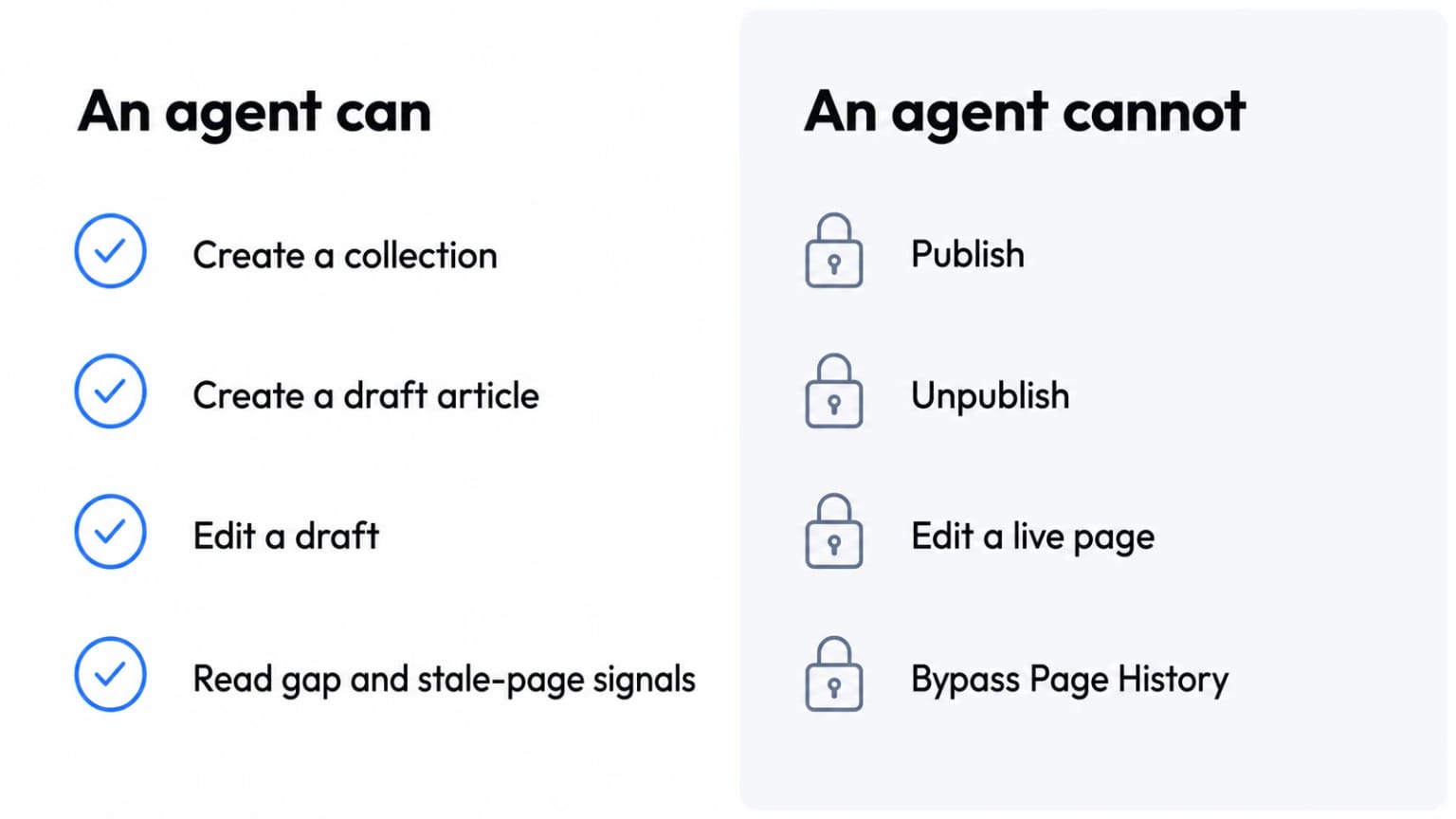
Three tools, and their limits are the interesting part. create_collection makes a collection. create_article creates a page as a draft. update_article edits a draft, and the previous version goes to Page History before the change lands. That is the whole write surface.
Agents also receive Dewstack's docs dialect when they connect, so what comes back has callouts, numbered step blocks, tables, and video embeds rather than a wall of prose. A draft that already looks like documentation is faster to review than one you have to reformat before you can even judge it.
The four rules
These hold with no exceptions, and they are the reason the debunk at the top of this article survives contact with the product.
Drafts only. An agent cannot publish, cannot unpublish, and cannot touch a live page. If you want an agent to rework something already published, a human unpublishes it first. Otherwise the agent is refused.
History first. The previous version is saved to Page History before any change. Page History attributes agent edits to the connection's key name, for example "Claude connector - agent update", and one click restores the previous version.
Sanitised on the way in. Script handlers and unsafe embeds are stripped from anything an agent writes. A model that has been talked into emitting something hostile does not get to store it in your docs.
Visible and revocable. The connection appears under API keys. Revoking it disconnects the agent immediately.
The operational limits
Each connection or key is capped at 500 writes per day. Write access requires the workspace to be Public. Every write, and every refused write, is recorded against the key, so the audit trail includes the attempts that did not succeed. That last detail matters more than it sounds: a log of refusals is how you notice an agent repeatedly trying to edit live pages, which usually means someone's prompt is wrong rather than that your policy is.
Self-Learning vs. Self-Updating: Two Loops, One System
These terms get conflated, but they solve different decay problems:
| Self-learning loop | Self-updating loop | |
|---|---|---|
| Question it answers | What content is missing? | Is existing content still true? |
| Primary signals | Unanswered questions, zero-result searches | Source-document changes, release notes, stale-page flags |
| Output | New articles and FAQs | Revisions and re-syncs |
| Failure if absent | Coverage gaps, repetitive tickets | Confidently wrong answers |
A knowledge base running only the learning loop grows while its old content rots. One running only the updating loop stays accurate about an ever-smaller slice of what users ask. Run both. The updating side is covered in our guide to self-updating knowledge bases, and the surrounding tooling in knowledge base automation.
Agent access serves both loops, because list_content_gaps feeds the learning side and list_stale_pages feeds the updating side. The output is the same shape either way: a draft waiting for a person.
How to Evaluate "Self-Learning" Claims
When a vendor says their product learns, ask these questions:
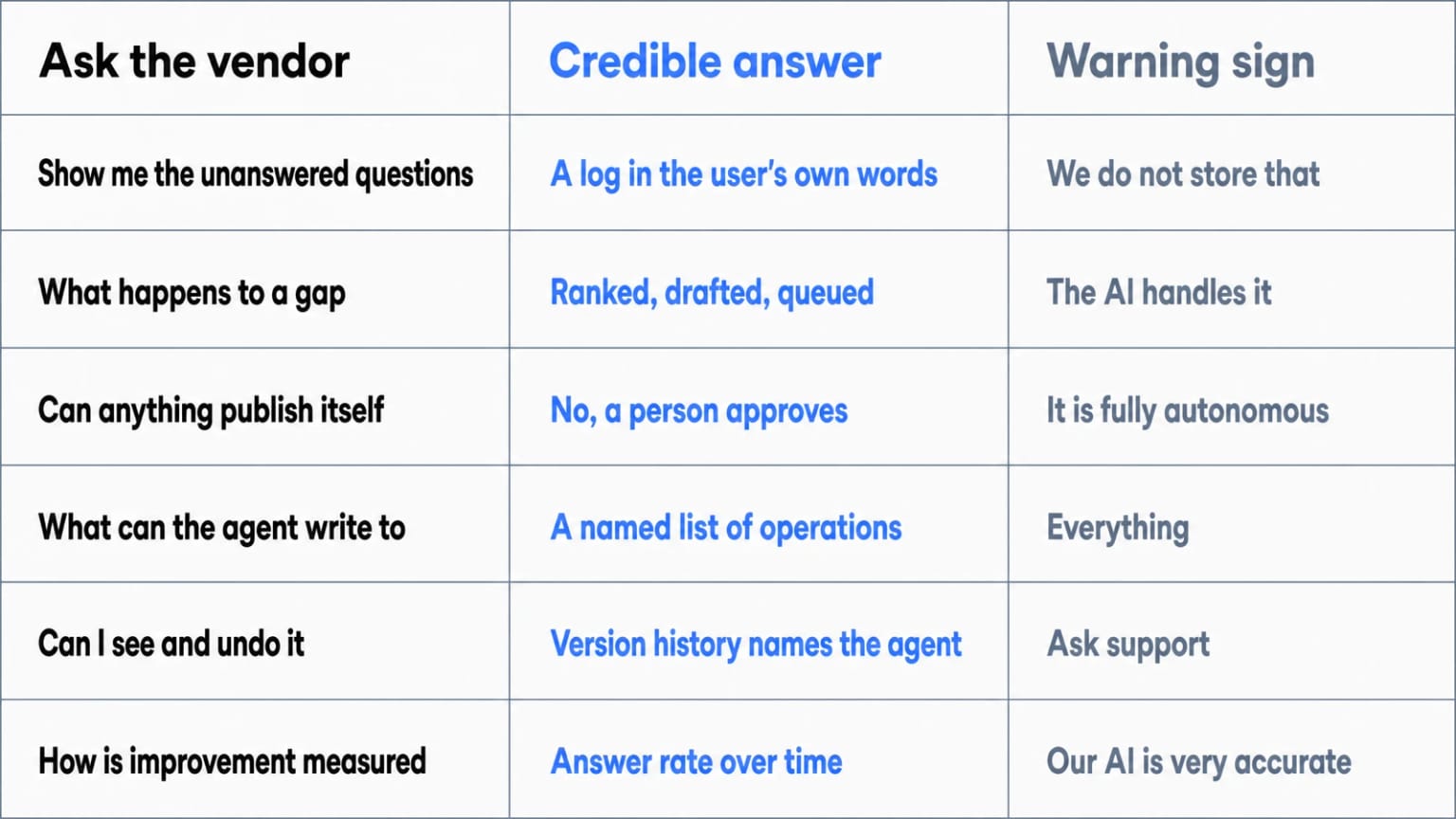
- "Show me the unanswered-questions log." If the product cannot show you exactly which questions it failed on, in the user's words, there is no learning loop, just a chatbot.
- "What does the system do with a gap?" The credible answer involves ranking, drafting, and a review queue. The suspicious answer is "the AI handles it."
- "Does anything publish without human approval?" For product documentation that customers rely on, the answer should be no. Ask what enforces that. A policy in a help article is not the same as a write API that refuses.
- "If an agent can write, what exactly can it write to?" Ask for the tool list and the refusals. A vendor that can name the operations an agent is blocked from has thought about the boundary. A vendor that answers "it is fully autonomous" has told you the risk, not the feature.
- "Can I see and undo what the agent did?" Look for version history that names the agent connection and restores in one step, plus an audit log that includes refused attempts.
- "How do I measure improvement?" Look for answer rate over time, gap-closure tracking, and per-article quality signals.
Running the Loop on Dewstack
Dewstack implements this loop end to end. SmartDocs, the AI assistant, answers user questions from your imported content with citations, and its conversation logs surface every question it could not answer. Search analytics add zero-result queries. Those two streams are what list_content_gaps exposes to a connected agent, and what your team sees in the dashboard.
From there you have two ways to close a gap. A person can write the article. Or you can point a connected agent at the gap list and let it produce drafts, which land in your workspace unpublished, formatted in the docs dialect, and attributed in Page History. Either way, someone with the authority to be right about your product opens the draft, fixes what is wrong, and presses publish.
Because content imports and syncs from Notion, Google Docs, Confluence, and PDF, the loop runs on your real, current material rather than a stale copy.
Start small. Enable the assistant, let a week of real questions accumulate, and fill the top three gaps. Then connect one agent, in one workspace, with one reviewer who owns the queue. Watch the answer rate and the refusal log together for a month before you widen access. For the broader architecture this loop lives inside, covering ingestion, embeddings, retrieval, and grounding, see the complete guide to AI knowledge bases.
The honest summary is the same one this article opened with, just with a sharper edge. Nothing here learns your business on its own. What it does is watch what your readers fail to find, hand that list to something that can write a first pass, and then stop and wait for you.
Ready to Elevate Your Documentation?
Try Dewstack free for 7 days. Create AI-powered documentation that answers questions instantly.
Start a free trialANSWERS TO
Frequently Asked Questions
Here are some common questions that might provide the information you're seeking.
Related Blogs
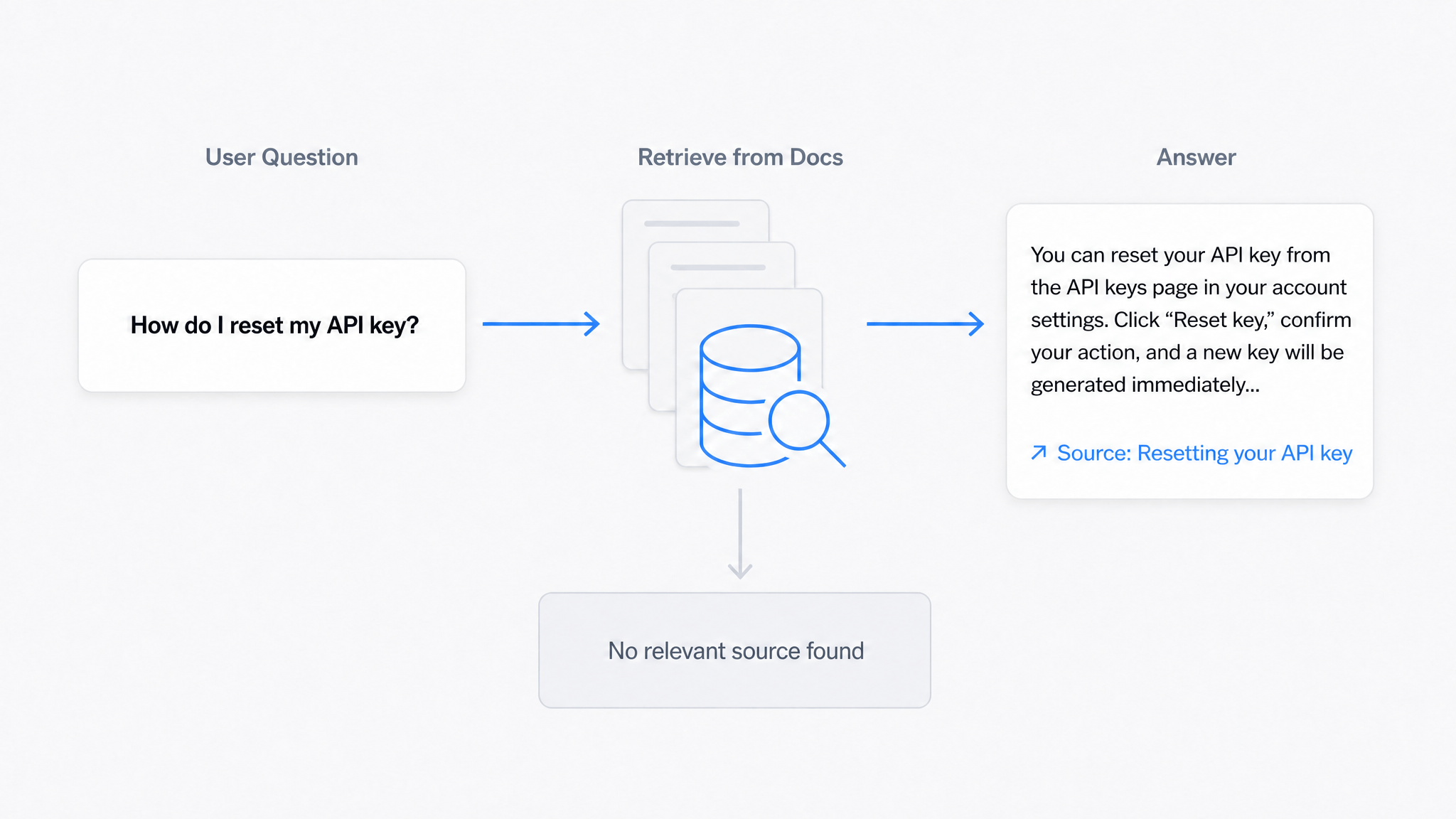
AI Answers From Your Docs: Grounded Answers, Citations & Hallucination Control
How an AI chatbot for technical documentation gives grounded answers with source citations, controls hallucinations, and turns unanswered questions into drafted pages.
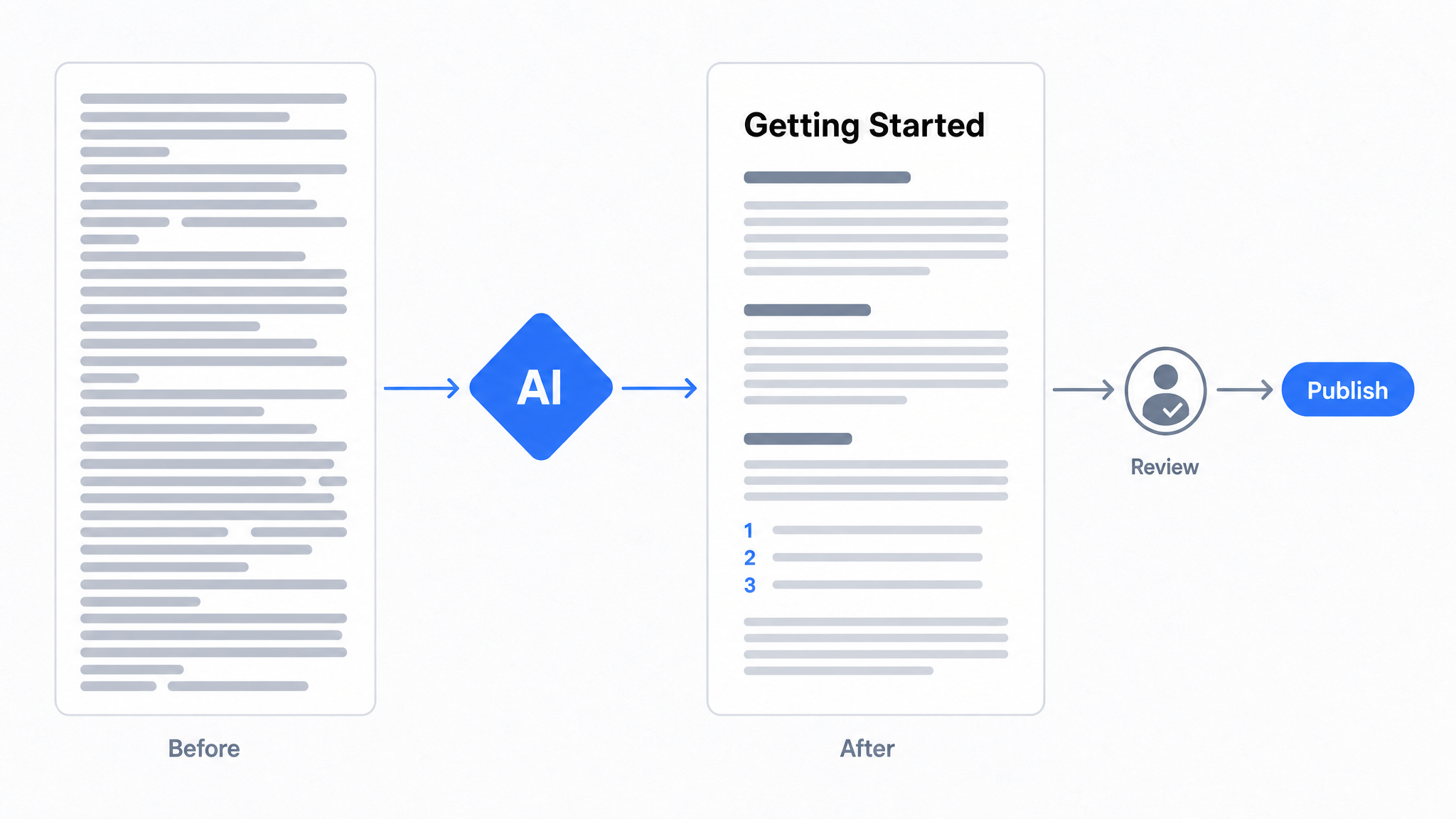
How to Use AI to Improve Existing Documentation
Use AI to audit, rewrite, and translate the documentation you already have, and let a connected agent draft improvements to stale pages for a human to publish.
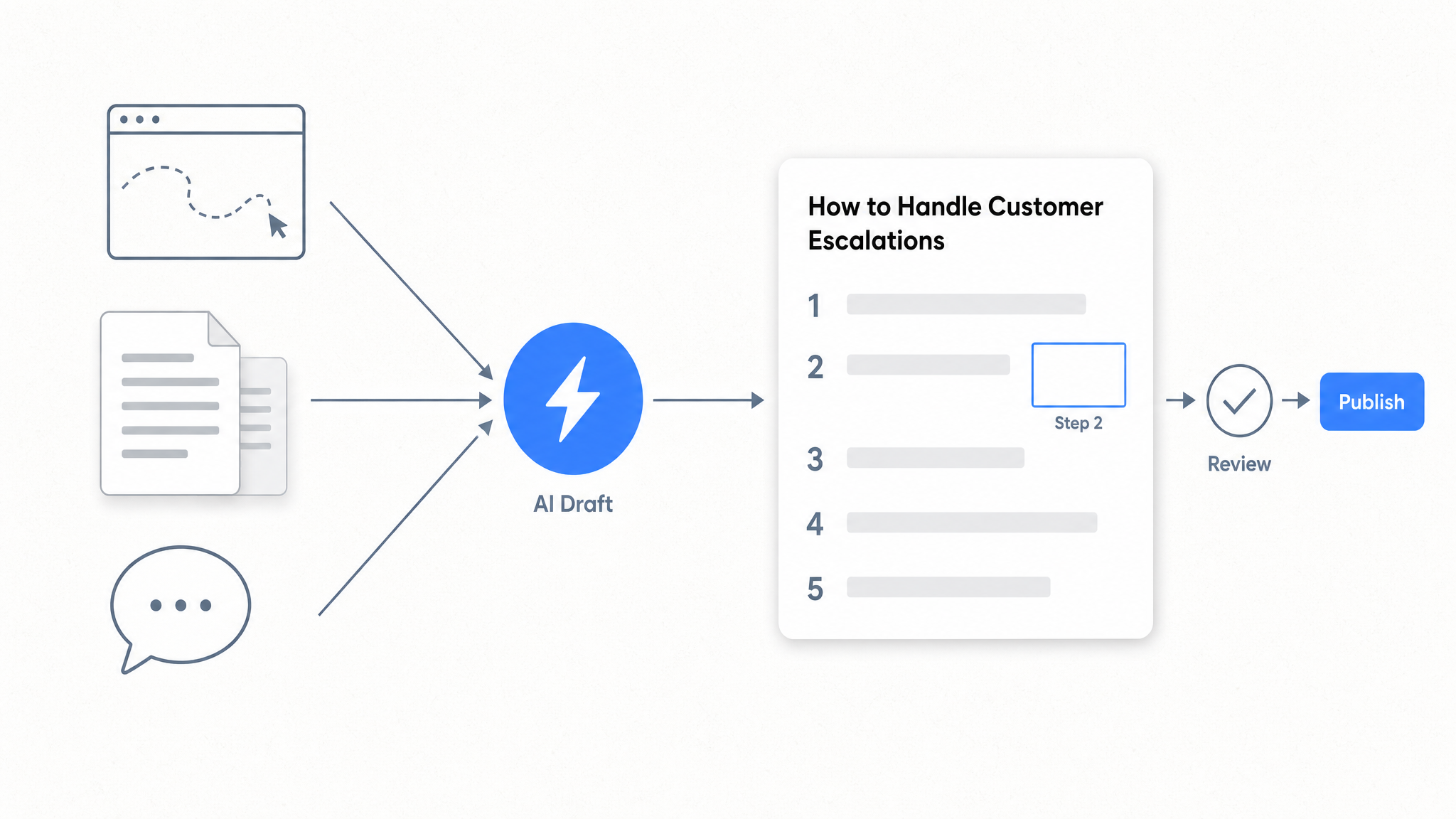
How to Automate SOP Creation with AI
Capture a workflow, let AI draft the SOP, review it, and publish it to a searchable knowledge base your team can query around the clock.
Ready to get started with Dewstack?
Try Dewstack free for 7 days. Create AI-powered documentation that answers questions instantly.
No credit card required.