The Benefits of Online Documentation and How to Get Started


The Benefits of Online Documentation and How to Get Started
91% of customers say they would use an online knowledge base if it were available and tailored to their needs. Yet despite this overwhelming demand, countless businesses still rely on outdated PDF manuals, scattered email threads, and physical documentation that creates friction at every customer touchpoint.
The shift to online documentation is not just a trend—it is a fundamental pillar of digital transformation. Organizations that embrace this shift report 45% fewer support tickets, 35% faster employee onboarding, and measurable improvements in customer satisfaction scores. The question is no longer whether to move documentation online, but how quickly you can make the transition.
In this comprehensive guide, we will explore the business case for online documentation, backed by industry research and real-world ROI calculations. Whether you are starting from scratch or migrating existing materials, you will find actionable strategies to create documentation that drives results.
Key Takeaways
Before diving into the details, here are the essential insights from this guide:
- Customer Demand is Clear: Research indicates that customers overwhelmingly prefer self-service documentation over contacting support teams for answers
- Measurable ROI: Companies implementing online documentation see support ticket reductions of 20-50% and significant cost savings in their first year
- Faster Time-to-Value: Online documentation accelerates employee onboarding by up to 35% and reduces time spent searching for information
- Competitive Advantage: Organizations with mature knowledge management practices outperform peers in customer satisfaction and operational efficiency
- Migration is Manageable: Moving from offline to online documentation can be accomplished in 4-8 weeks with proper planning and the right platform
- Analytics Drive Improvement: Online platforms provide visibility into how users engage with documentation, enabling continuous optimization
The Digital Transformation Imperative
The business landscape has fundamentally changed. Digital transformation is no longer optional—it is essential for survival. According to industry analysts, organizations that successfully execute digital transformation initiatives are significantly more likely to be market leaders. Documentation plays a critical role in this transformation.
Why Traditional Documentation Falls Short
Physical documentation and static PDFs create several problems in today's digital-first environment:
Accessibility Barriers: Physical documents require users to be in a specific location. PDFs, while shareable, often lack searchability and cannot be easily updated once distributed. When your customers or employees need information at 2 AM or from a mobile device, traditional documentation fails them.
Version Control Nightmares: How many versions of that product manual exist across your organization? When documentation lives in Word documents and printed binders, keeping everyone aligned becomes nearly impossible. Research shows that knowledge workers spend considerable time each week simply searching for the information they need.
Hidden Costs: The true cost of traditional documentation extends far beyond printing. Consider the hours spent recreating documents, answering questions that documentation should address, and the productivity lost when employees cannot find what they need.
The Shift to Self-Service
Modern customers and employees expect instant access to information. Industry research consistently shows that most customers prefer to use self-service options like online knowledge bases rather than contacting support teams. This preference spans demographics and industries.
For internal documentation, the stakes are equally high. Companies that effectively capture and share organizational knowledge see measurable improvements in productivity and faster employee onboarding. When documentation becomes a strategic asset, it transforms from a cost center into a competitive advantage.
Core Benefits of Online Documentation

Online documentation delivers advantages that physical or static digital documents simply cannot match. Let us examine each benefit in detail.
1. Universal Accessibility
Online documentation breaks down the barriers of time and location. Your customers can access help at midnight. Your remote team members have the same information as headquarters. Your international partners can reference materials in their timezone.
This accessibility directly impacts customer satisfaction. When users can solve problems independently, they report higher satisfaction scores than when they must wait for support responses. The immediacy of online documentation respects your users' time and builds trust in your brand.
Additionally, online documentation supports accessibility standards (WCAG compliance), ensuring users with disabilities can access your content through screen readers and other assistive technologies—something PDFs often fail to provide.
2. Powerful Search Functionality
The ability to instantly search across your entire documentation library transforms how users find information. Instead of scrolling through pages or hunting through folder structures, users type a query and get relevant results in seconds.
Advanced search capabilities include:
- Full-text search across all documentation
- Filters by category, date, or document type
- Search analytics showing what users are looking for
- AI-powered suggestions for related content
Modern knowledge base software takes search even further with semantic understanding, delivering results based on user intent rather than just keyword matching.
3. Real-Time Updates and Version Control
One of the most significant advantages of online documentation is the ability to make instant updates. When a product changes, a process evolves, or an error is discovered, you can correct the documentation immediately—and every user sees the updated version.
This eliminates the costly problem of version confusion. No more customers following outdated instructions. No more employees using deprecated processes. Everyone works from a single source of truth.
Version history provides an audit trail of changes, allowing you to track who made updates and when. This proves invaluable for compliance, troubleshooting, and continuous improvement. For organizations creating standard operating procedures, this version control is particularly critical.
4. Enhanced Collaboration
Online documentation platforms enable multiple contributors to work together seamlessly. Subject matter experts can draft content, editors can refine it, and stakeholders can review—all within the same system.
Collaboration features typically include:
- Role-based permissions controlling who can view, edit, or publish
- Comment and feedback systems for review cycles
- Workflow automation for approval processes
- Real-time editing with conflict resolution
This collaborative approach distributes the documentation workload while maintaining quality and consistency. It also ensures that tribal knowledge gets captured from the experts who hold it.
5. Cost Effectiveness
The financial case for online documentation is compelling. Direct savings come from eliminating printing, storage, and distribution costs. But the larger savings emerge from efficiency gains.
Consider these cost factors:
| Cost Category | Traditional Documentation | Online Documentation |
|---|---|---|
| Printing & Distribution | $5,000 - $50,000+ annually | $0 |
| Storage & Archiving | Physical space required | Cloud storage included |
| Update Distribution | Reprint and redistribute | Instant, automatic |
| Search & Retrieval | Hours of employee time | Seconds per search |
| Global Access | Shipping costs, delays | Immediate, free |
Organizations often recoup their documentation platform investment within months through reduced support costs and productivity gains alone.
6. Superior Customer Support
Online documentation fundamentally changes your support economics. When customers can find answers themselves, your support team can focus on complex issues that truly require human expertise.
Research consistently shows that online knowledge bases can deflect a significant percentage of support tickets. For a company handling thousands of support requests per month, this translates to substantial savings—often hundreds of thousands of dollars annually.
Beyond cost savings, self-service documentation improves customer experience. Users get instant answers without waiting in queues or navigating phone trees. This convenience builds loyalty and reduces churn.
Learn more about creating effective customer-facing documentation with our guide to product documentation.
7. Data-Driven Insights
Unlike physical documentation, online platforms provide detailed analytics about user behavior. You can see:
- Which articles are most viewed
- What search terms users enter
- Where users drop off or get stuck
- Which content gaps exist
- How documentation impacts support metrics
These insights enable continuous improvement. When you see users consistently searching for something your documentation does not cover, you know exactly what to create next. When an article has high views but also generates support tickets, you know it needs clarification.
8. Multimedia Integration
Online documentation supports rich media that makes complex topics easier to understand:
- Screenshots and images showing exactly what users should see
- Videos demonstrating procedures step-by-step
- Interactive elements allowing users to expand sections or follow personalized paths
- Code snippets with syntax highlighting for technical documentation
- Embedded tools like calculators or configurators
This multimedia capability is particularly valuable for troubleshooting guides where showing beats telling.
ROI Calculations and Cost Savings
Understanding the return on investment for online documentation helps build the business case for implementation. Let us examine the financial impact through concrete calculations.
Support Cost Reduction
The most immediate ROI comes from reduced support burden. Here is a calculation framework:
Assumptions for a mid-size company:
- Monthly support tickets: 2,000
- Average cost per ticket (fully loaded): $25
- Monthly support cost: $50,000
With online documentation achieving 30% ticket deflection:
- Tickets deflected: 600 per month
- Monthly savings: $15,000
- Annual savings: $180,000
Even conservative estimates of 20% deflection yield significant returns. Many organizations exceed 40% deflection with mature documentation programs.
Productivity Gains
Knowledge workers spend substantial time each week searching for information or recreating documents. Online documentation with robust search capabilities can reduce this dramatically.
Calculation example:
- Employees: 100
- Average hourly cost: $50
- Hours saved per employee per week: 2
- Weekly productivity gain: $10,000
- Annual productivity gain: $520,000
Onboarding Acceleration
Industry research shows that effective documentation can reduce onboarding time significantly. For a company hiring regularly, this acceleration means faster time-to-productivity for new employees.
Calculation example:
- New hires per year: 25
- Average salary during onboarding: $5,000/month
- Traditional onboarding time: 3 months
- Reduced onboarding time with documentation: 2 months
- Savings per hire: $5,000
- Annual savings: $125,000
Total ROI Example
Combining these factors for our hypothetical mid-size company:
| Benefit Category | Annual Value |
|---|---|
| Support Cost Reduction | $180,000 |
| Productivity Gains | $520,000 |
| Onboarding Acceleration | $125,000 |
| Total Annual Value | $825,000 |
Against a typical documentation platform investment of $10,000-$50,000 annually, the ROI becomes clear. Most organizations achieve positive ROI within the first quarter of implementation.
Migration Strategy: From Offline to Online

Transitioning from traditional documentation to an online platform requires thoughtful planning. Here is a proven migration strategy that minimizes disruption while maximizing results.
Phase 1: Assessment and Planning (Week 1-2)
Audit Existing Documentation
Begin by cataloging all existing documentation across your organization:
- Product manuals and guides
- Internal SOPs and processes
- Training materials
- FAQs and troubleshooting guides
- Policy documents
For each document, assess:
- Current usage and importance
- Accuracy and update status
- Owner or subject matter expert
- Target audience
Define Success Metrics
Establish baseline measurements and targets:
- Current support ticket volume
- Average time to find information
- Employee onboarding duration
- Customer satisfaction scores
- Documentation maintenance costs
Select Your Platform
Choose a documentation platform that aligns with your needs. Key evaluation criteria include:
- Ease of content creation and editing
- Search capabilities and performance
- Customization and branding options
- Analytics and reporting features
- Integration with existing tools
- Scalability for future growth
- Security and access controls
Phase 2: Structure and Design (Week 2-3)
Create Information Architecture
Organize your documentation into a logical hierarchy:
- Top-level categories reflecting major topics or user journeys
- Subcategories grouping related articles
- Individual articles addressing specific questions or tasks
Consider your users' mental models. How do they think about your product or processes? Structure documentation to match their expectations.
Develop Templates and Standards
Consistency improves usability. Create templates for:
- How-to articles
- Reference documentation
- Troubleshooting guides
- FAQ pages
- Release notes
Establish style guidelines covering voice, formatting, terminology, and visual elements.
Design Navigation and Search
Plan how users will discover content:
- Main navigation menu structure
- Breadcrumb trails for orientation
- Related article suggestions
- Search configuration and synonyms
Phase 3: Content Migration (Week 3-6)
Prioritize Migration Order
Not all documentation is equally urgent. Prioritize based on:
- High-traffic content: Most-used documents come first
- Critical processes: Essential operations cannot wait
- Support drivers: Content addressing common questions
- Quick wins: Easy-to-migrate documents build momentum
Migrate and Improve
Migration is an opportunity to enhance documentation, not just copy it. For each document:
- Review for accuracy and completeness
- Update outdated information
- Improve clarity and structure
- Add visuals where helpful
- Optimize for search with relevant keywords
- Include links to related content
Leverage Import Tools
Modern platforms like Dewstack offer import capabilities that accelerate migration. You can bring in content from Word documents, PDFs, and other sources, then refine within the platform.
Phase 4: Launch and Promotion (Week 6-8)
Soft Launch
Begin with a limited release to gather feedback:
- Internal teams first
- Select customer segments
- Document issues and suggestions
- Refine before broad launch
Full Launch
Roll out to all users with clear communication:
- Announce the new documentation resource
- Provide guidance on how to use it
- Highlight key features like search
- Gather and respond to feedback
Promote Adoption
Ensure users know about and use your documentation:
- Link from your website prominently
- Include in support responses
- Reference in onboarding materials
- Add to email signatures and help menus
Phase 5: Ongoing Optimization
Migration is the beginning, not the end. Establish ongoing practices:
- Regular content reviews and updates
- Analytics monitoring and response
- User feedback collection and action
- Continuous improvement based on data
How to Get Started: A Step-by-Step Guide
Whether you are migrating existing documentation or starting fresh, follow these steps to build effective online documentation.
Step 1: Choose the Right Platform
Select an online documentation platform that best fits your needs. Consider factors such as ease of use, collaboration features, customization options, and integration with other tools when making your decision.
Look for platforms that offer:
- Intuitive editing without requiring technical skills
- Flexible organization and navigation options
- Powerful search capabilities
- Analytics and usage insights
- Mobile-responsive design
- Custom branding options
Step 2: Organize Your Content
Create a structure for your documentation that is easy to navigate and understand. Break down information into categories, subcategories, and individual articles. Use descriptive titles and headings to help users find what they need.
Map out your content hierarchy before you start writing. Consider creating a sitemap that shows how all pieces connect. This upfront planning prevents reorganization headaches later.
Step 3: Write Clear and Concise Content
Ensure that your documentation is easy to read and understand. Use simple language, short sentences, and clear headings. Include relevant keywords to make your content more discoverable by search engines and users.
Follow these writing principles:
- Use active voice and action verbs
- Break complex procedures into numbered steps
- Define technical terms when first used
- Include examples that illustrate concepts
- Write for scanning with headers, bullets, and white space
For detailed guidance, see our article on creating effective documentation.
Step 4: Incorporate Visuals
Use images, screenshots, diagrams, and videos to support your text and make your documentation more engaging. Visuals can help explain complex concepts and guide users through step-by-step processes.
Visual best practices:
- Annotate screenshots to highlight key elements
- Use consistent styling across all images
- Optimize file sizes for fast loading
- Include alt text for accessibility
- Consider animated GIFs for short procedures
Step 5: Keep Content Up-to-Date
Regularly review and update your documentation to ensure it remains accurate and relevant. Set up a schedule for reviewing and updating content, and assign team members to be responsible for specific sections.
Implement a review cadence:
- Quarterly reviews for all documentation
- Immediate updates when products or processes change
- Annual audits for comprehensive accuracy checks
- User feedback loops for continuous improvement
Step 6: Promote Your Documentation
Make sure your customers and team members are aware of your online documentation. Include links to your documentation in your website, customer support emails, and marketing materials.
Promotion strategies:
- Feature documentation in your main navigation
- Link from support tickets and chat responses
- Include in onboarding sequences
- Share specific articles on social media
- Reference in blog posts and other content
Measuring Documentation Success
Online documentation provides visibility that traditional formats cannot match. Here are the key metrics to track and how to use them.
Traffic and Engagement Metrics
Page Views and Unique Visitors: Understand overall documentation usage and growth trends.
Time on Page: Longer time may indicate thorough reading or confusion—context matters.
Bounce Rate: High bounce rates may suggest content does not match user expectations or needs.
Search Queries: Reveals what users are looking for, including content gaps.
Support Impact Metrics
Ticket Deflection Rate: The percentage of potential tickets avoided through self-service.
Documentation-Linked Tickets: Tracks when support agents reference documentation in responses.
First Contact Resolution: Measures whether documentation helps resolve issues without escalation.
Satisfaction Metrics
Article Ratings: Simple thumbs up/down or star ratings on individual articles.
User Feedback: Comments and suggestions from documentation users.
Net Promoter Score (NPS): Overall satisfaction with documentation experience.
Operational Metrics
Content Freshness: Percentage of documentation updated within target timeframe.
Coverage: Whether documentation exists for all products, features, and common questions.
Consistency: Adherence to style guidelines and templates.
Use these metrics to identify improvement opportunities and demonstrate documentation value to stakeholders.
Common Pitfalls and How to Avoid Them
Learning from others' mistakes accelerates your success. Here are frequent documentation challenges and how to overcome them.
Pitfall 1: Creating Documentation Nobody Uses
The Problem: Teams invest heavily in documentation that users never find or reference.
The Solution:
- Involve users in planning to understand their actual needs
- Promote documentation actively across all channels
- Make search and navigation frictionless
- Track usage and iterate based on data
Pitfall 2: Letting Content Become Outdated
The Problem: Documentation that was accurate at launch becomes misleading as products evolve.
The Solution:
- Assign clear ownership for each documentation area
- Build documentation updates into product release processes
- Set calendar reminders for regular reviews
- Enable user feedback to surface outdated content
Pitfall 3: Writing for Experts Instead of Users
The Problem: Documentation assumes knowledge users do not have, using jargon and skipping steps.
The Solution:
- Write for your newest user, not your most experienced
- Define all technical terms
- Include every step, even "obvious" ones
- Test documentation with actual users
- Create separate tracks for different skill levels
Pitfall 4: Ignoring Mobile Users
The Problem: Documentation designed for desktop fails on mobile devices where many users access it.
The Solution:
- Choose a platform with responsive design
- Test documentation across devices
- Optimize images and media for mobile
- Keep navigation simple for touch interfaces
Pitfall 5: Treating Documentation as a One-Time Project
The Problem: Organizations create documentation once and never revisit it.
The Solution:
- Budget ongoing resources for documentation maintenance
- Track metrics continuously
- Establish regular review cycles
- Celebrate documentation improvements
Conclusion
Investing in online documentation delivers measurable benefits across customer satisfaction, operational efficiency, and cost reduction. The data is clear: organizations with mature documentation practices outperform those without.
The shift from traditional to online documentation represents a fundamental upgrade in how you capture, share, and leverage organizational knowledge. It is not merely about putting documents on the internet—it is about creating a dynamic, searchable, always-current resource that serves your users exactly when and where they need it.
Whether you are looking to reduce support costs, accelerate onboarding, improve customer satisfaction, or all of the above, online documentation provides the foundation. And with modern platforms making creation and management easier than ever, the barrier to entry has never been lower.
The question is not whether online documentation will benefit your organization—the research proves it will. The question is how quickly you can begin capturing those benefits.
For more insights on building effective documentation practices, explore our guides on AI-powered knowledge bases and user manual creation.
Launch Your Online Documentation with Dewstack
Ready to bring your documentation online? Dewstack provides everything you need to create, host, and manage online documentation that serves your customers and team.
Build documentation effortlessly: Dewstack's browser extension lets you create guides with screenshots and annotations as you work. No more switching between apps or reconstructing procedures from memory.
AI-powered intelligence: SmartDocs transforms your online documentation into an intelligent knowledge engine. Users get instant, contextual answers in natural conversation—scaling your expertise to reach every customer, partner, and team member simultaneously.
Import and organize your content: Bring existing documentation from Word, PDFs, or any platform into Dewstack. Powerful categorization, search, and version control keep everything organized as your documentation grows.
Professional hosting made simple: Custom domains, SSL certificates, and your branding create a polished experience. Analytics reveal how users engage with your content, helping you continuously improve.
Ready to experience the benefits of modern online documentation? Try Dewstack for free and see how easy it can be to create documentation your users will love.
Ready to Elevate Your Documentation?
Try Dewstack free for 7 days. Create AI-powered documentation that answers questions instantly.
Start a free trialANSWERS TO
Frequently Asked Questions
Here are some common questions that might provide the information you're seeking.
Related Blogs
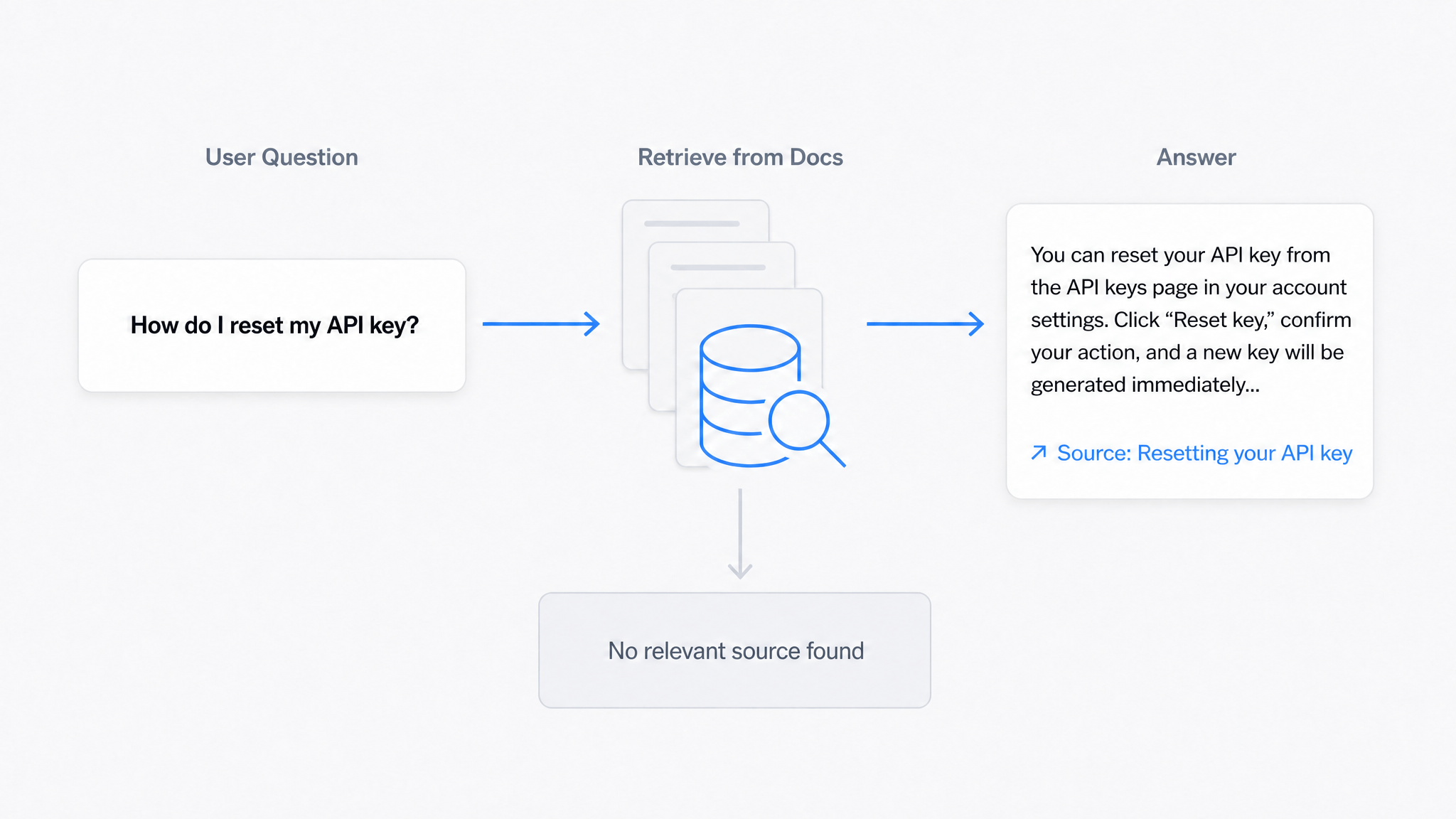
AI Answers From Your Docs: Grounded Answers, Citations & Hallucination Control
How an AI chatbot for technical documentation gives grounded answers with source citations, controls hallucinations, and turns unanswered questions into drafted pages.
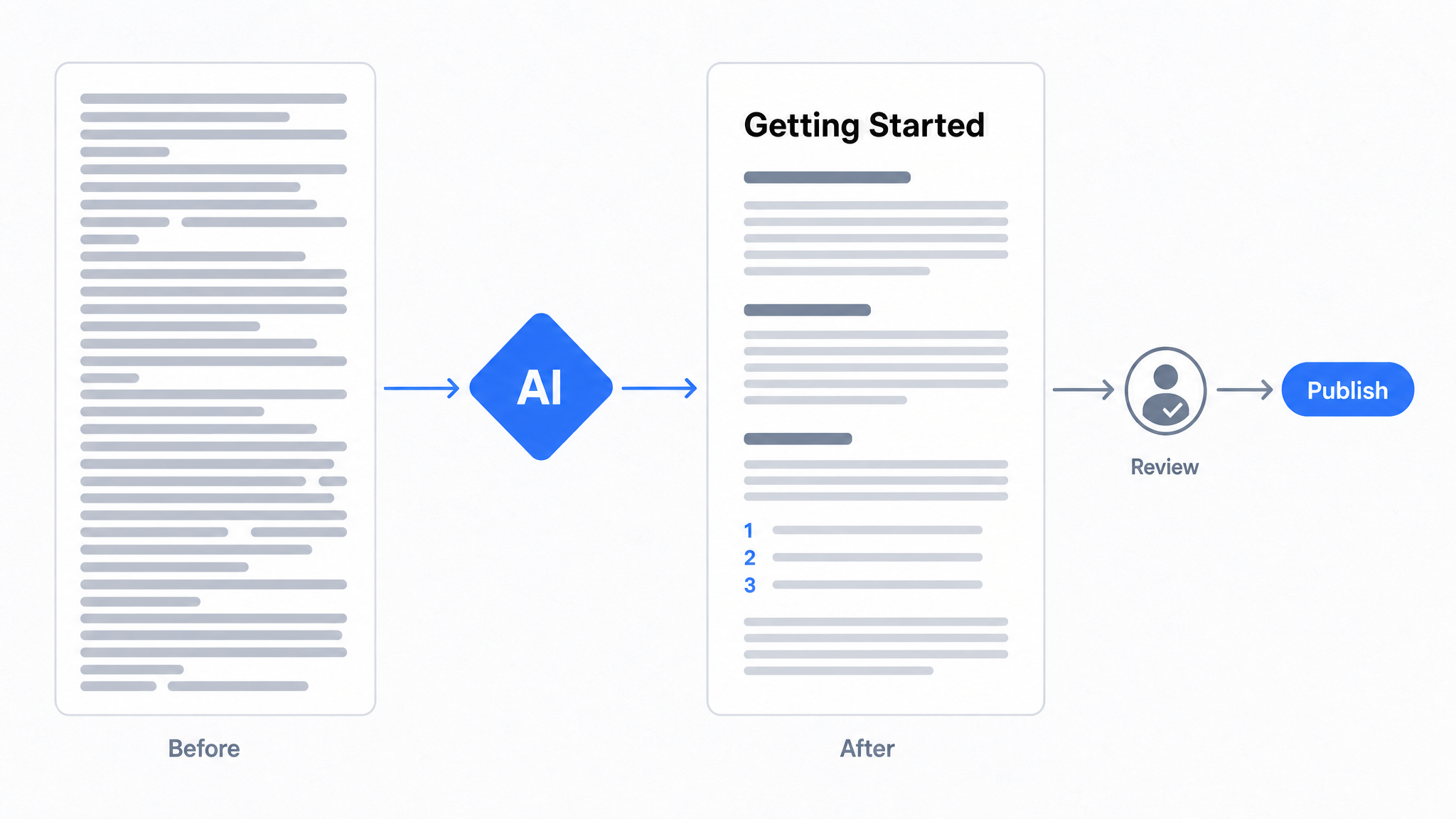
How to Use AI to Improve Existing Documentation
Use AI to audit, rewrite, and translate the documentation you already have, and let a connected agent draft improvements to stale pages for a human to publish.
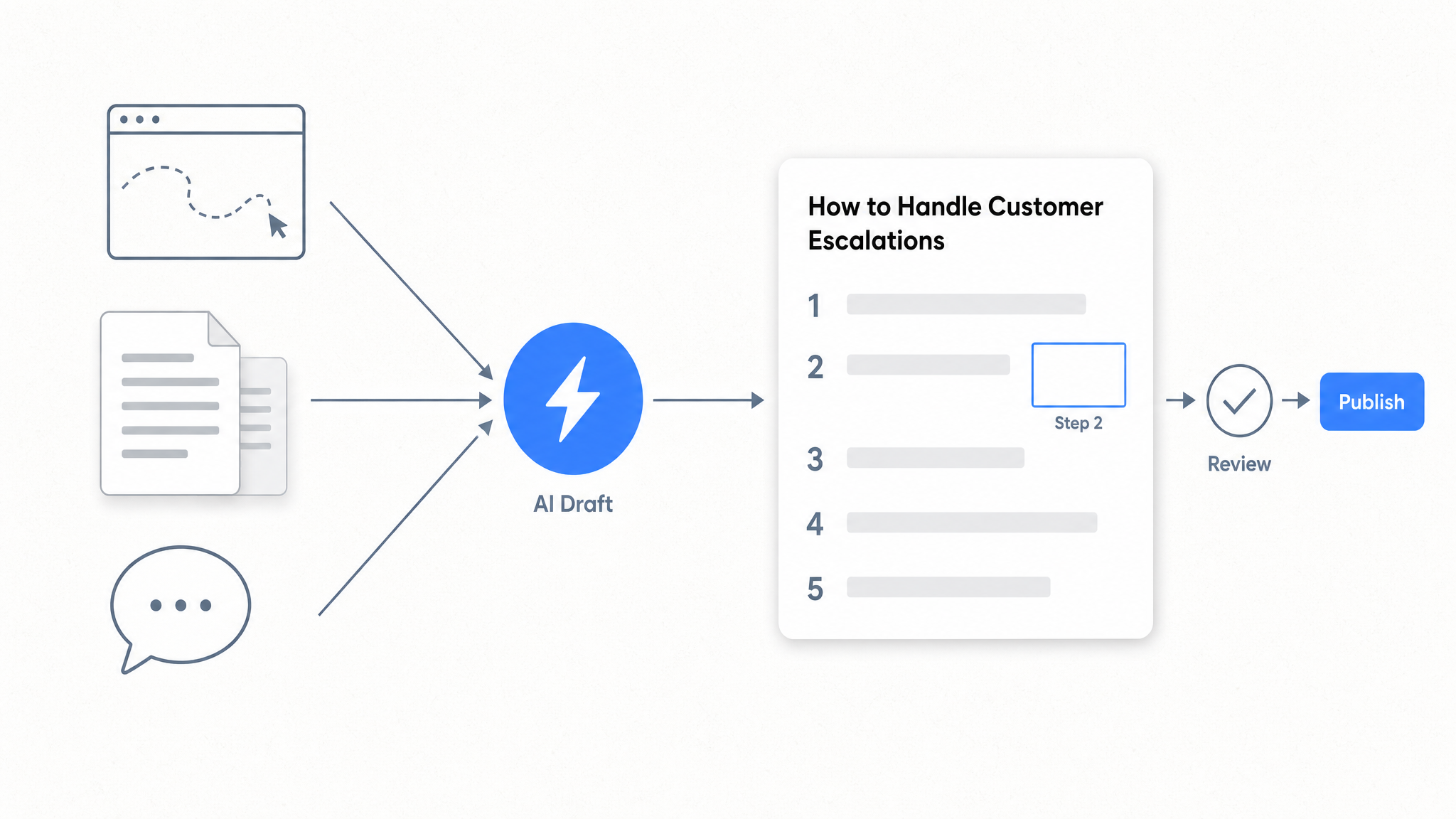
How to Automate SOP Creation with AI
Capture a workflow, let AI draft the SOP, review it, and publish it to a searchable knowledge base your team can query around the clock.
Ready to get started with Dewstack?
Try Dewstack free for 7 days. Create AI-powered documentation that answers questions instantly.
No credit card required.