The Subtle Art of AI-Powered Content Creation: A Complete Guide to Transforming Your Documentation Workflow


The Subtle Art of AI-Powered Content Creation: A Complete Guide to Transforming Your Documentation Workflow
The content creation landscape has fundamentally shifted. In 2024 alone, over 65% of organizations adopted AI writing tools for some aspect of their content workflow, and that number continues to climb. Yet many content creators and documentation teams find themselves caught between two extremes: either dismissing AI entirely or expecting it to replace human creativity altogether.
The truth lies somewhere more nuanced and far more exciting. AI-powered content creation is not about replacement; it is about amplification. It is about taking the repetitive, time-consuming aspects of content production and automating them so that human creators can focus on what they do best: strategic thinking, creative problem-solving, and connecting with audiences on a deeper level.
This comprehensive guide explores how to master the subtle art of AI-assisted content creation, specifically within documentation workflows where clarity, accuracy, and user experience matter most.
Key Takeaways
Before diving into the details, here are the essential insights from this guide:
- AI accelerates content creation by 40-60% when properly integrated into documentation workflows, without sacrificing quality
- Human oversight remains essential for accuracy, brand voice, and strategic alignment with user needs
- The best results come from collaboration where AI handles drafting and editing while humans provide direction and final review
- AI excels at consistency across large documentation projects, maintaining tone and style across hundreds of articles
- Start small and iterate by identifying specific pain points in your workflow where AI can provide immediate value
- Quality improves over time as AI tools learn your preferences, terminology, and brand voice through continued use
The AI Content Revolution: Understanding the Shift
The integration of AI into content creation represents one of the most significant productivity shifts in the history of technical writing and documentation. Research from the Content Marketing Institute indicates that teams using AI writing assistants report completing documentation projects 47% faster on average while maintaining or improving quality scores.
But statistics only tell part of the story. The real transformation happens in how teams approach content creation itself. Instead of starting with a blank page and building from scratch, modern documentation teams begin with AI-generated frameworks, outlines, and draft content that they then refine and perfect.
This shift mirrors broader changes in knowledge work. Just as spreadsheets did not replace accountants but made them dramatically more productive, AI writing tools are not replacing content creators. They are giving them superpowers.
Consider the documentation team at a mid-sized SaaS company. Before adopting AI tools, their four-person team struggled to keep up with product updates, averaging three weeks to fully document new features. After integrating AI into their workflow, that timeline dropped to five days. The same team, producing more content, with better consistency, and higher user satisfaction scores.
The key to their success was not treating AI as a magic solution. It was understanding where AI adds value and where human expertise remains irreplaceable.
The Deep Dive into Content Challenges
Creating effective documentation has never been straightforward. Before exploring how AI addresses these challenges, let us understand what makes content creation so demanding.
1. Clarity and Structure: The Jigsaw Puzzle

Recall reading an article where the introduction promised insights on a specific topic, but the subsequent content seemed to meander through unrelated tangents? Or perhaps a user manual that jumps between steps, causing confusion? A lack of structured flow is like handing someone a jigsaw puzzle with pieces from different sets.
Studies show that users abandon documentation within 30 seconds if they cannot find a clear path to the information they need. Poor structure does not just frustrate users; it actively drives them away.
Real-World Impact: Organizations with poorly structured documentation see support ticket volumes 3x higher than those with well-organized content. Each unnecessary support interaction costs an average of $15-25, making clear documentation a direct contributor to the bottom line.
2. Depth and Detail: The Goldilocks Paradox

When diving into a research paper, readers expect a certain depth. Imagine their disappointment when it merely scratches the surface. On the other hand, a casual blog delving too deep can overwhelm a reader seeking a quick overview. Striking the right balance is the Goldilocks paradox of content creation.
Different audience segments need different levels of detail. A technical architect wants API specifications and edge cases. A new user wants step-by-step guidance with screenshots. Serving both from a single piece of content requires careful layering and progressive disclosure.
Example: A smartphone manufacturer's website glossing over the phone's specs can frustrate tech enthusiasts, whereas overwhelming a non-techie with overly detailed specs can lead to lost sales. The best product documentation serves multiple audiences without forcing anyone to wade through irrelevant content.
3. Tone and Brand Voice: The Chameleon Challenge

A corporate bank using slang or memes in its annual report would be jarring. Conversely, a youth-oriented brand maintaining a strictly formal tone on social media might find engagement plummeting.
Maintaining consistent voice across hundreds or thousands of documentation pages presents an enormous challenge, especially when multiple writers contribute to the same knowledge base. Without careful attention, documentation can feel disjointed, undermining user trust.
Real-Life Scenario: A famous soda brand once tried to capitalize on a trending hashtag without understanding its serious sociopolitical context, leading to widespread backlash. Tone mismatches in documentation may not generate headlines, but they steadily erode user confidence and brand perception.
4. Linguistic Barriers: The Lost in Translation Hurdle

Global campaigns often falter when slogans get lost in translation. A catchy English phrase might, when translated, become something comical or even offensive in another culture. For documentation serving international audiences, this challenge multiplies across every page.
Research indicates that users are 72% more likely to complete a task when documentation is available in their native language. Yet manual translation is expensive and slow, often leaving international users with outdated content.
Notable Gaffe: A car manufacturer's model name once translated to a colloquial term in a foreign market that negatively affected sales. In documentation, similar translation failures can lead to user errors, safety issues, and support escalations.
5. Technical Intricacies: The Tightrope Walk
While industry insiders appreciate jargon, outsiders often feel alienated. Imagine a beginner seeking basic photography tips, only to be bombarded with terms like ISO, aperture, and bokeh without proper context.
The challenge intensifies in technical documentation where precision matters. You cannot simply remove all technical terms; sometimes the specific terminology is essential. The art lies in introducing concepts progressively and providing context for specialized vocabulary.
Practical Implication: Tech firms often struggle to make their whitepapers and case studies accessible to a broader audience, limiting their outreach. Effective troubleshooting guides balance technical accuracy with approachability.
6. SEO: The Ever-Evolving Maze

The finest content, if invisible to search engines, is like a masterpiece locked away in a vault. With search engine algorithms constantly evolving, keeping content optimized is akin to navigating a constantly shifting maze.
Documentation faces unique SEO challenges. Users often search for error messages, specific feature names, or problem descriptions. Optimizing for these long-tail queries requires understanding not just SEO principles but how users actually describe their problems.
Market Reality: Many e-commerce businesses, despite having quality products, falter because their product descriptions and blog posts are not optimized for the latest SEO trends. Documentation teams face similar challenges in helping users discover relevant content.
AI-Assisted Documentation Workflows in Practice
Understanding challenges is one thing; solving them is another. Let us explore specific workflows where AI transforms documentation creation.
Workflow 1: Initial Draft Generation
Traditional process: Writer researches topic, outlines content, writes draft from scratch (4-8 hours for a 2000-word article).
AI-assisted process: Writer provides topic brief and key points to AI, receives structured draft, refines and enhances with expertise (1.5-3 hours for same article).
Productivity gain: 50-60%
The key insight is that AI excels at generating coherent first drafts that follow standard documentation patterns. Human writers then add nuance, verify accuracy, and inject brand voice. This division of labor plays to each party's strengths.
Workflow 2: Content Enhancement and Editing
When improving existing content, AI tools analyze readability scores, identify unclear passages, and suggest improvements. What previously required multiple editing passes can now happen in a single AI-assisted review.
A technical writing team at an enterprise software company reported reducing their editing time by 65% after implementing AI-powered editing suggestions. More importantly, their readability scores improved by 23% as the AI consistently identified passive voice, overly complex sentences, and jargon that human editors sometimes missed.
Workflow 3: FAQ and Summary Generation
Creating effective FAQs requires anticipating user questions, a task that often relies on support ticket analysis or user research. AI tools can now analyze existing documentation and generate likely user questions, providing a starting framework for FAQ development.
Similarly, AI excels at creating summaries and abstracts. Given a lengthy technical document, AI can produce executive summaries, quick-start guides, and overview sections that help users navigate to the content they need.
Workflow 4: Multi-Format Adaptation
Modern documentation often needs to exist in multiple formats: detailed guides, quick reference cards, video scripts, and in-app tooltips. AI dramatically accelerates the process of adapting core content for different formats and contexts.
A documentation team creating content for a project management tool now generates all format variations from a single source document, with AI handling the initial adaptation and humans reviewing for accuracy and appropriateness.
Workflow 5: Consistency Maintenance at Scale
For organizations with extensive documentation libraries, maintaining consistency becomes exponentially harder as content volume grows. AI tools can analyze entire documentation sets, identifying inconsistencies in terminology, formatting, and style.
This capability proves especially valuable when creating and managing SOPs across departments, where consistent language and formatting directly impact compliance and operational efficiency.
Best Practices for Human-AI Collaboration in Writing
Success with AI content tools requires more than just adopting the technology. It requires developing new workflows and collaboration patterns. Here are proven best practices from organizations that have mastered human-AI collaboration.
1. Establish Clear Roles and Responsibilities
Define explicitly what AI handles versus what humans own. A typical division:
AI responsibilities:
- First draft generation
- Grammar and style checking
- Readability optimization
- Format conversion
- Consistency checking
Human responsibilities:
- Strategic direction and content planning
- Technical accuracy verification
- Brand voice refinement
- Final approval
- User empathy and context
2. Create AI-Ready Input Materials
AI output quality depends heavily on input quality. Develop templates and briefs that give AI the context it needs:
- Target audience description
- Key points that must be covered
- Terminology preferences
- Tone guidelines
- Examples of successful similar content
Teams that invest in creating detailed AI briefs see 40% better first-draft quality compared to those providing minimal guidance.
3. Implement Structured Review Processes
AI-assisted content still requires human review, but the review focus shifts. Instead of fixing basic errors, reviewers should:
- Verify technical accuracy
- Check for brand alignment
- Ensure user needs are met
- Add nuance and context AI might miss
- Validate examples and use cases
4. Build Feedback Loops
The best AI content tools learn from feedback. Establish processes for capturing what works and what needs improvement. Track which AI suggestions get accepted versus rejected. Over time, this data improves AI output quality for your specific needs.
5. Start with High-Volume, Lower-Risk Content
When implementing AI writing tools, begin with content where:
- Volume is high and consistent
- Stakes of minor errors are low
- Human review is still practical
- Success metrics are clear
Common starting points include internal documentation, support article updates, and content refreshes. As confidence grows, expand to customer-facing and higher-stakes content.
6. Maintain the Human Connection
Even with AI assistance, remember that documentation ultimately serves humans. AI can optimize for readability scores and SEO metrics, but only human judgment can ensure content truly helps users accomplish their goals.
Regularly conduct user research and incorporate feedback directly, not just through AI analysis. This human insight keeps AI-assisted content grounded in real user needs.
Mastering Content Challenges with Page Assist

In a world swirling with content challenges, what if there was an assistant, a guide, that not only understood these challenges but was designed to directly combat them? Enter Page Assist. This is not just another tool in the content creator's kit, but a revolutionary feature that is primed to reshape the way we perceive content optimization.
Page Assist: The Digital Maestro
Page Assist, powered by advanced AI algorithms, is not just about refining content. It is about understanding it, enhancing it, and aligning it with the audience's expectations.
Clarity and Structure
Remember the jigsaw puzzle analogy? Page Assist is that missing link that completes the picture. Whether it is suggesting a rewrite for clarity or refining the flow, it ensures content is not just read, but absorbed.
The tool analyzes your content structure against proven documentation patterns, identifying where readers might lose their way and suggesting reorganization that improves comprehension.
Depth, Detail, and Focus
With features like detail enhancement and gap spotting, Page Assist ensures your content neither skimps on crucial information nor overwhelms with unnecessary verbosity. Additionally, the summarization feature can present your content in various digestible formats, from quick summaries to detailed bullet points.
This capability proves invaluable when creating documentation for diverse audiences, allowing you to maintain detailed reference content while generating appropriate summaries for different user segments.
Tone Adaptability
Every brand has a voice, a tone. Page Assist offers multiple tonal options, whether it is exuding authority, showcasing empathy, or radiating passion. Your content can now don a tone that resonates with its intent and audience.
The tool learns your brand voice over time, ensuring that AI-generated suggestions align with your established style guidelines and previous content.
Transcending Language Barriers
With support for multiple languages, Page Assist ensures your message remains consistent, coherent, and culturally nuanced, irrespective of the audience's language.
Unlike simple translation, AI-powered language adaptation considers context, idioms, and cultural expectations, producing content that feels native rather than translated.
Technical Refinement
Page Assist demystifies jargon, making technical content accessible to all. Additionally, the content grammar check ensures your content is error-free, and the FAQ creation tool anticipates and addresses potential reader queries.
The tool can identify technical terms that might confuse non-expert readers and suggest explanations or definitions, improving accessibility without sacrificing precision.
SEO Mastery
In the ever-evolving digital landscape, visibility is key. Page Assist's SEO recommendations and keyword suggestions ensure your content does not just exist, it thrives.
Beyond keyword optimization, the tool analyzes search intent and suggests content improvements that align with how users actually search for information.
Measuring Success: Productivity Gains and Quality Metrics
Implementing AI content tools requires measuring their impact. Here are the key metrics organizations track to evaluate success:
Productivity Metrics
- Time to first draft: Teams typically see 40-60% reduction
- Articles published per month: Expect 2-3x increase with same team size
- Editing passes required: Usually decreases from 4-5 to 2-3
- Time spent on consistency checking: Can decrease by up to 80%
Quality Metrics
- Readability scores: Most teams see 15-25% improvement
- User satisfaction ratings: Typically increase 10-20%
- Support tickets per documentation page: Should decrease over time
- Search success rate: Users finding answers improves significantly
Business Impact Metrics
- Support cost reduction: 20-35% typical for mature implementations
- User task completion rates: Improvement varies by content type
- Documentation NPS scores: Positive correlation with AI implementation
Organizations that track these metrics systematically can demonstrate clear ROI from AI content investments and identify opportunities for further optimization.
The Future of AI-Powered Documentation
The AI content revolution is just beginning. Emerging capabilities promise even greater transformation:
Personalized documentation that adapts in real-time to user expertise level, role, and previous interactions. Users will see content tailored to their specific needs without requiring content teams to maintain multiple versions.
Predictive content creation that identifies documentation gaps before users encounter them. AI analysis of product changes, support tickets, and user behavior will trigger proactive content development.
Multimodal content generation that produces text, images, and video from single source materials. A documentation writer will describe a process once, and AI will generate written steps, annotated screenshots, and video tutorials.
Intelligent content maintenance that automatically updates documentation when products change, flagging human review only for significant modifications.
Organizations that build AI content capabilities now will be well-positioned to adopt these advances as they mature.
Conclusion
In the challenging journey of content creation, AI emerges as a beacon, guiding creators away from potential pitfalls and towards excellence. It is not just about making content better; it is about making it matter.
The subtle art of AI-powered content creation lies in balance: leveraging AI's strengths in efficiency and consistency while preserving human creativity, judgment, and empathy. Organizations that master this balance will produce better documentation, faster, while freeing their teams to focus on the strategic and creative work that only humans can do.
The question is no longer whether to adopt AI content tools, but how quickly you can integrate them effectively into your workflow. The productivity gains are real, the quality improvements are measurable, and the competitive advantage is significant.
As you consider your own AI content journey, remember that success comes not from the tools themselves but from how thoughtfully you integrate them into human-centered workflows. Start with clear goals, measure your results, and iterate continuously. The future of content creation is collaborative, and that collaboration between human and AI is just getting started.
Frequently Asked Questions
How can AI help with content creation for documentation?
AI can assist with drafting initial content, improving writing clarity, suggesting structure, generating summaries, translating content, and maintaining consistent tone and style across your documentation. It accelerates content creation while maintaining quality.
What are the benefits of using AI for documentation writing?
Benefits include faster content creation, improved consistency, reduced writer's block, better grammar and clarity, scalability for large documentation projects, and the ability to quickly generate variations for different audiences.
Can AI replace human writers for documentation?
AI is best used as a writing assistant rather than a replacement. It excels at drafting and editing, but human oversight is essential for accuracy, brand voice, technical correctness, and ensuring content truly addresses user needs.
How do I ensure AI-generated content is accurate?
Always review and fact-check AI-generated content, have subject matter experts verify technical accuracy, test procedures yourself, and use AI as a starting point rather than a final product. Human review remains essential.
What AI features should I look for in a documentation tool?
Look for AI-powered writing assistance, content suggestions, automatic summarization, grammar and style checking, search optimization, and the ability to generate FAQs or summaries from existing content.
Experience AI-Powered Content Creation with Dewstack
Ready to transform how you create documentation? Dewstack brings the power of AI to every aspect of your content creation workflow.
Create content faster with AI: Dewstack's AI-powered Page Assist helps you draft, refine, and polish documentation content. From generating initial outlines to enhancing clarity and tone, AI accelerates your workflow without sacrificing quality.
Capture content as you work: The Dewstack browser extension lets you document processes with screenshots and annotations in real-time. Build comprehensive guides without interrupting your workflow or relying on memory.
AI that serves your users too: SmartDocs transforms your content into an intelligent assistant. Users ask questions in natural language and get instant, accurate answers, taking your documentation from static pages to dynamic support.
Import, organize, and unify: Bring existing content from anywhere, Word, Google Docs, PDFs, Confluence, into one organized hub. AI helps maintain consistent tone and quality across all your documentation.
Ready to revolutionize your content creation? Try Dewstack for free and experience the future of AI-powered documentation.
Ready to Elevate Your Documentation?
Try Dewstack free for 7 days. Create AI-powered documentation that answers questions instantly.
Start a free trialANSWERS TO
Frequently Asked Questions
Here are some common questions that might provide the information you're seeking.
Related Blogs
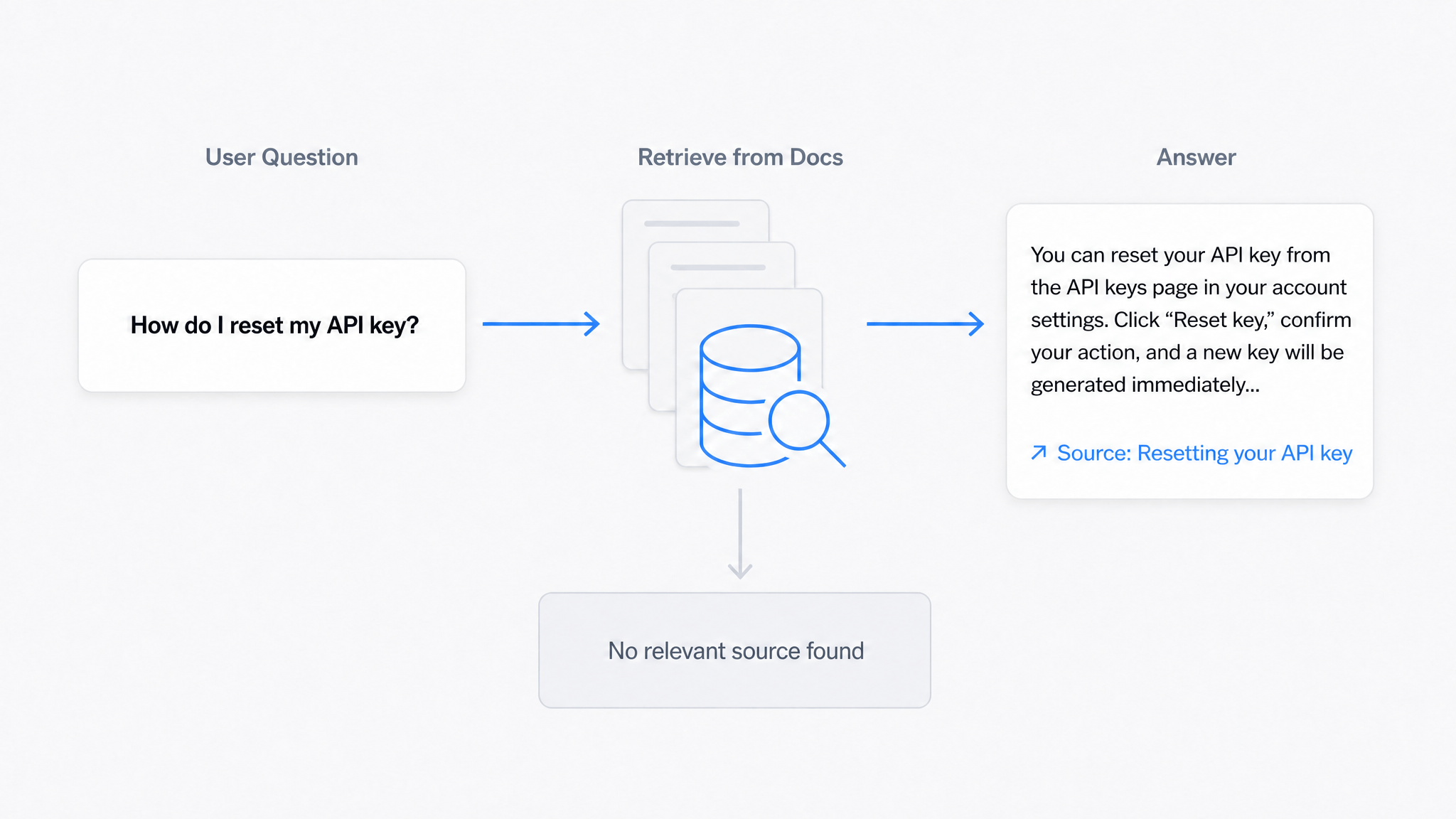
AI Answers From Your Docs: Grounded Answers, Citations & Hallucination Control
How an AI chatbot for technical documentation gives grounded answers with source citations, controls hallucinations, and turns unanswered questions into drafted pages.
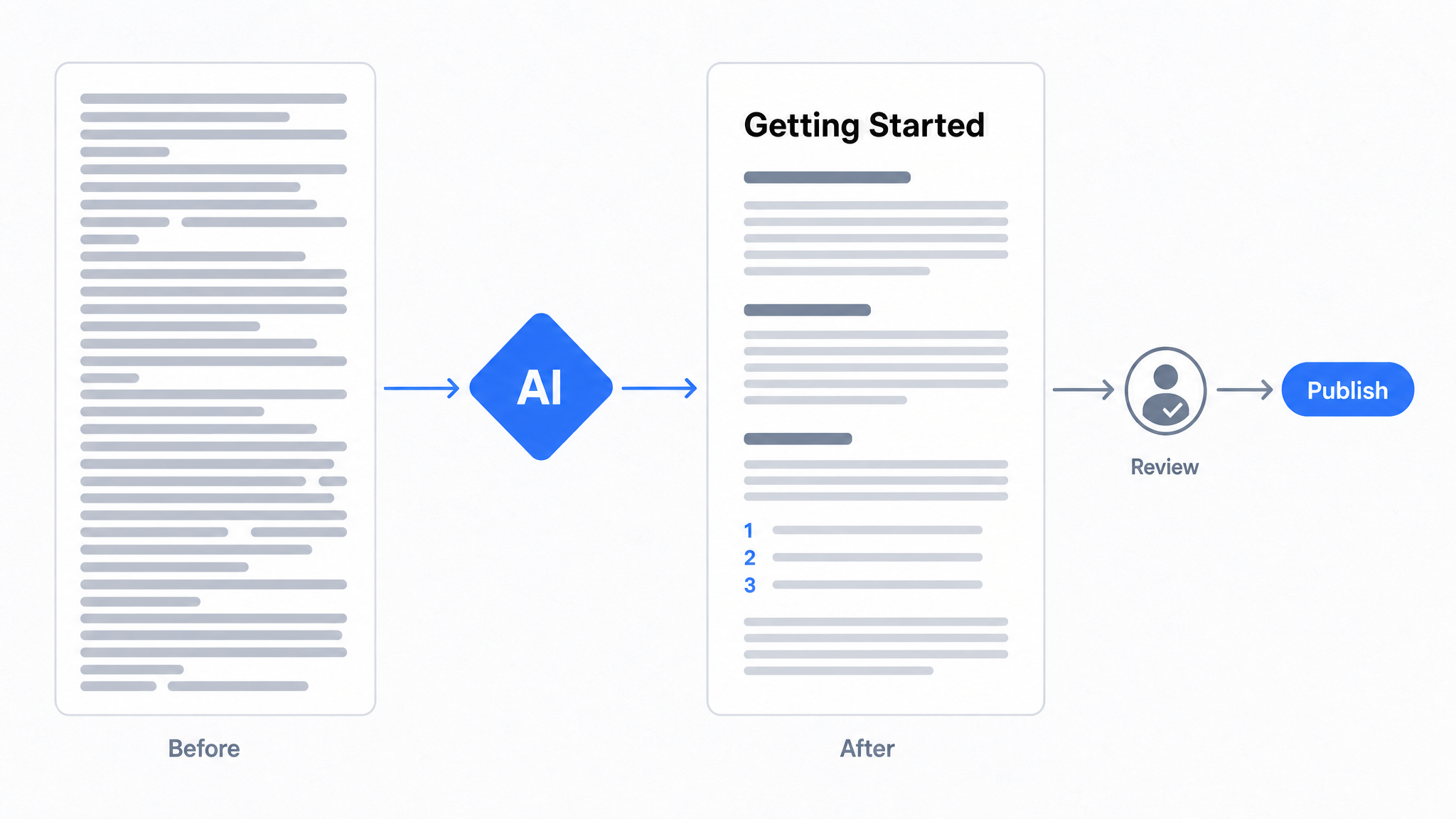
How to Use AI to Improve Existing Documentation
Use AI to audit, rewrite, and translate the documentation you already have, and let a connected agent draft improvements to stale pages for a human to publish.
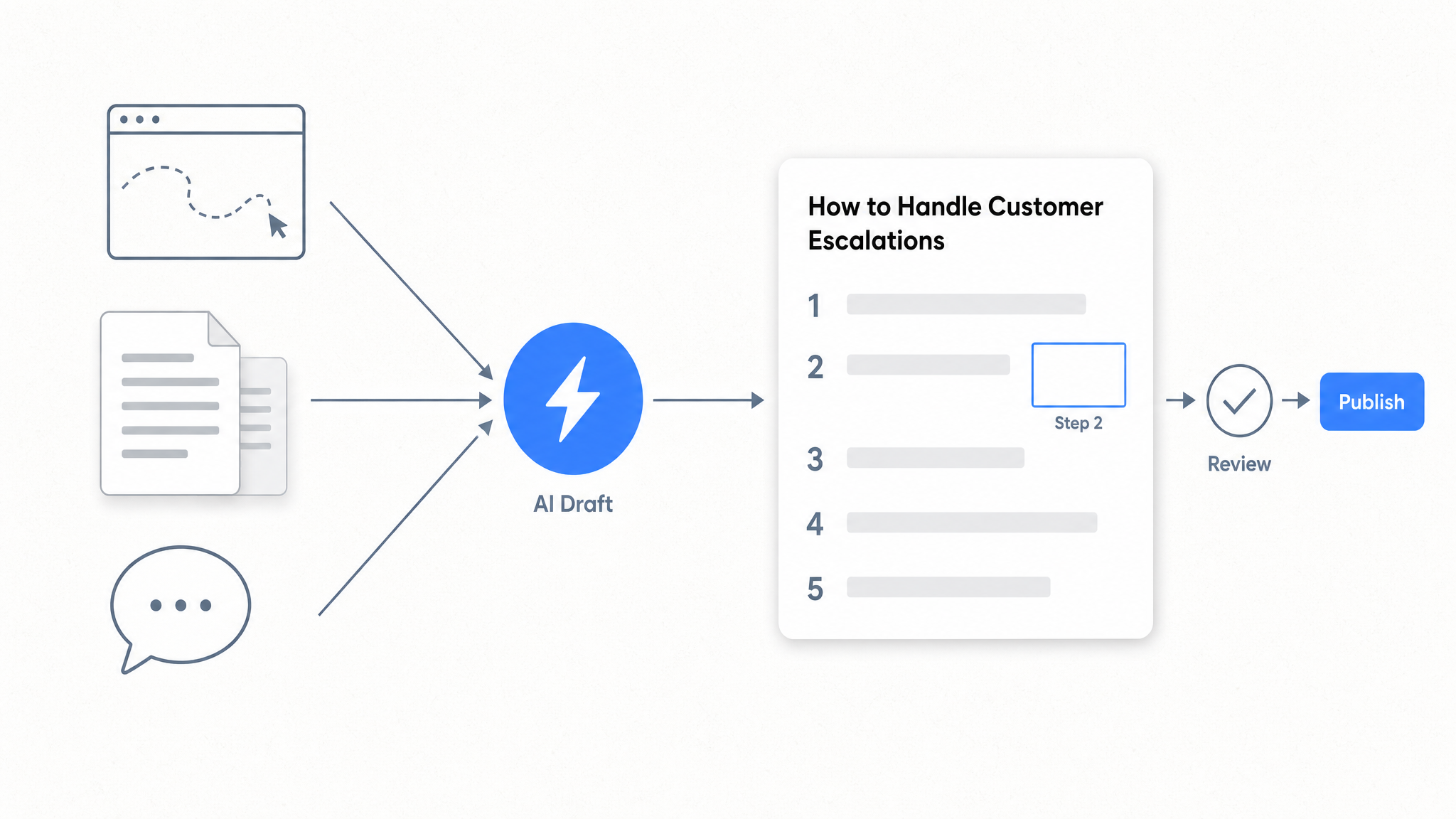
How to Automate SOP Creation with AI
Capture a workflow, let AI draft the SOP, review it, and publish it to a searchable knowledge base your team can query around the clock.
Ready to get started with Dewstack?
Try Dewstack free for 7 days. Create AI-powered documentation that answers questions instantly.
No credit card required.